Built up step by step
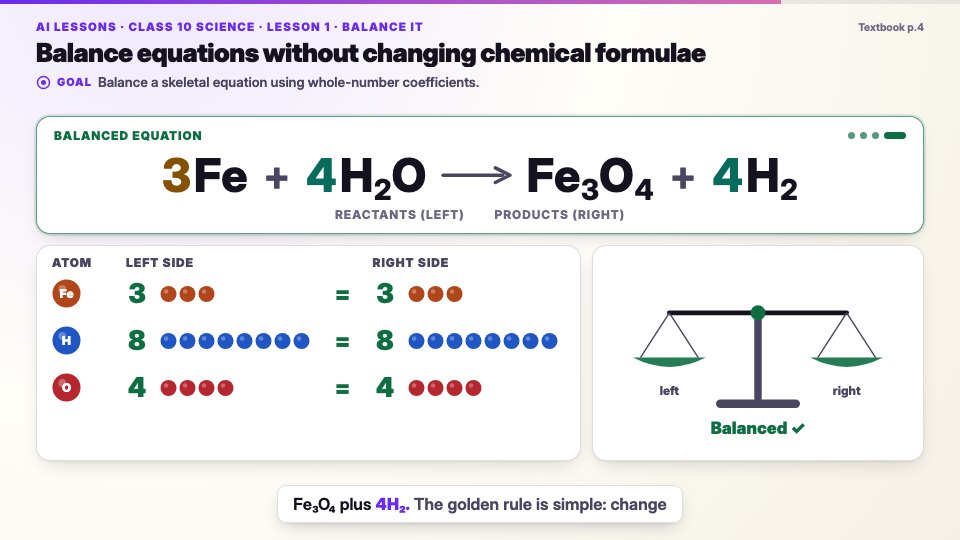
Each coefficient appears on the word that names it; the atom counts update until the balance levels.
Narrated lessons, an AI tutor and exam-style practice for every chapter, connected to the classroom and the family.
Early access · interactive textbook lessons, starting with the CBSE Class 10 syllabus
LearnFor students
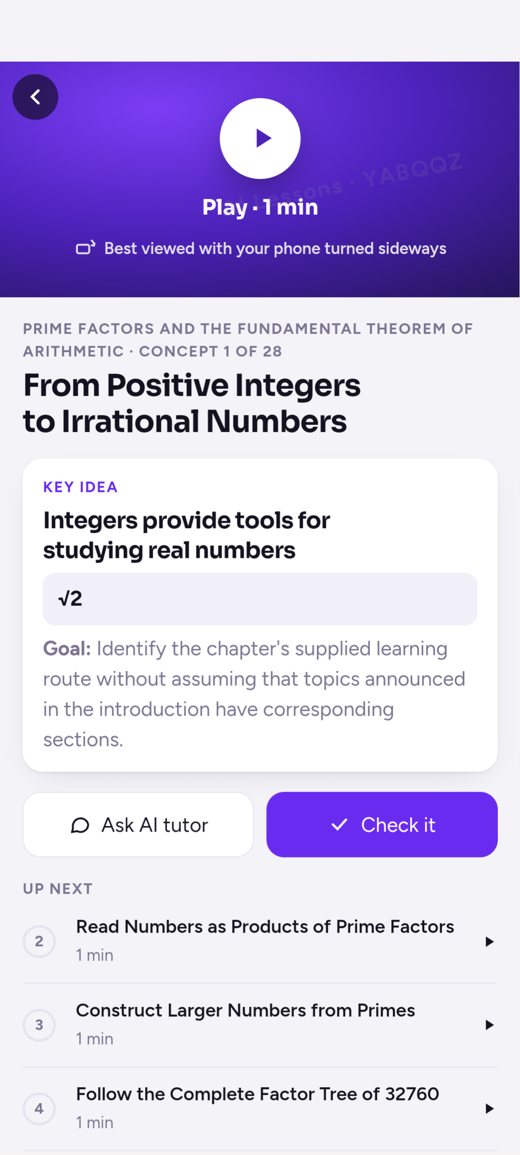
Pause any lesson and ask. The AI tutor knows the exact moment of the lesson you are on, so it answers about what was just shown and said rather than starting from scratch. Students can ask follow-up questions in their own words, and “Check it” questions after each idea show whether it has sunk in.
Press play with the sound on, then try the panel: the chapter’s concepts, a real “Check it” question and the AI tutor.
Each coefficient appears on the word that names it; the atom counts update until the balance levels.
Equation, page reference and wording come from the textbook; a human reviewer approved it.
Each scene passes automatic checks for text size, contrast and overlapping text.
In the app, students pause any moment to ask the AI tutor or check their understanding.
ClassroomFor teachers and schools
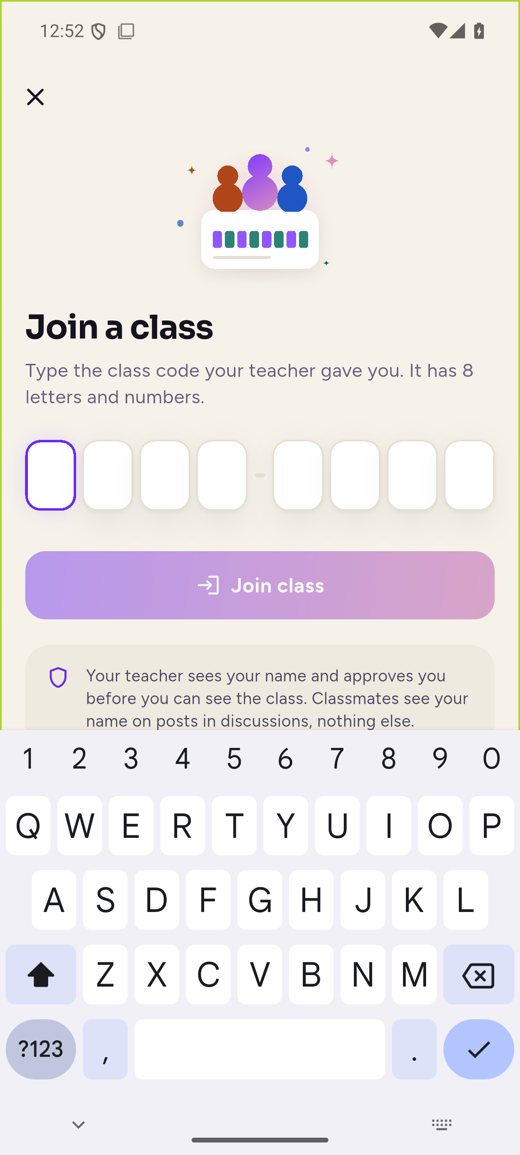
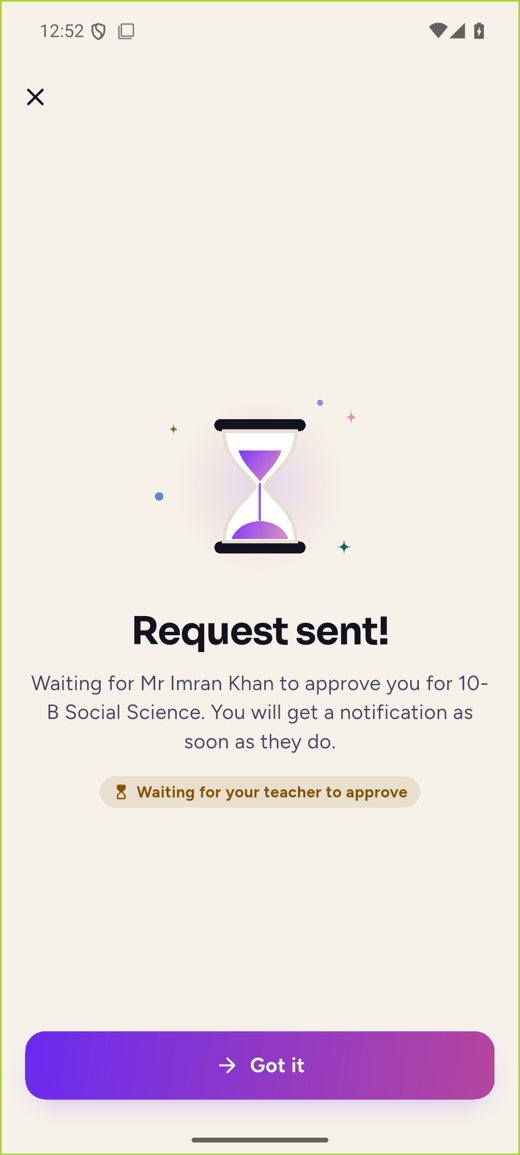
A student joins a class with the teacher’s class code, and the teacher approves the request. Teachers set lessons, practice and tasks as work; students hand in text, photos, video, voice notes or files; and teachers return scores, rubric levels and written or voice feedback. Teachers work from the AI Lessons Teacher app or the Teacher web app.
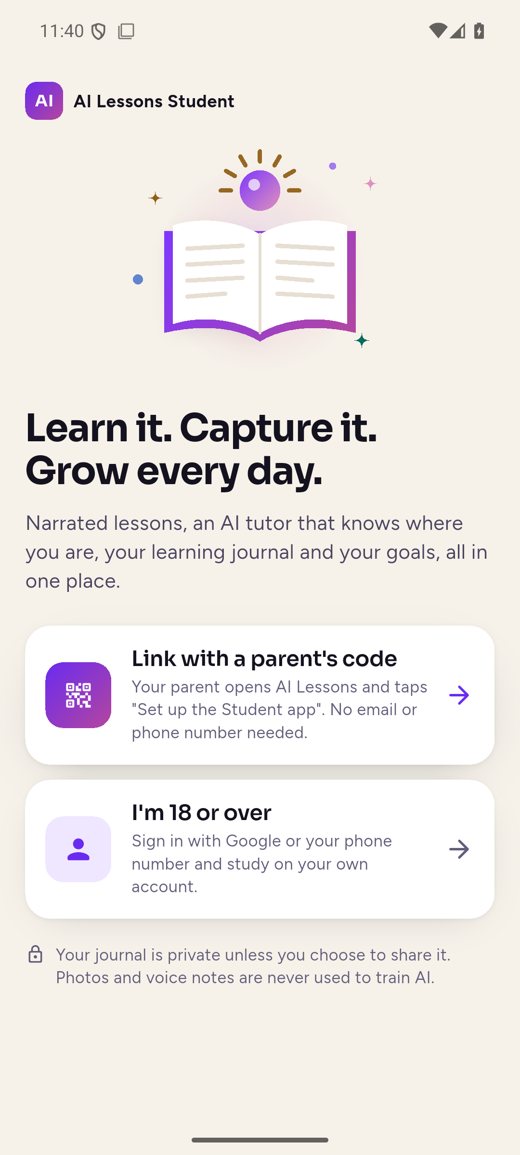
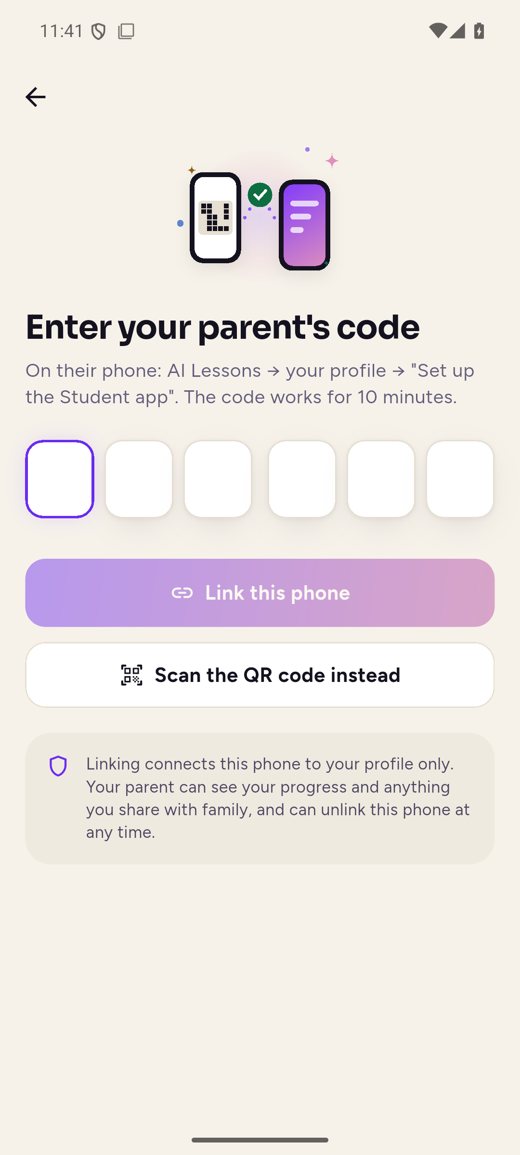
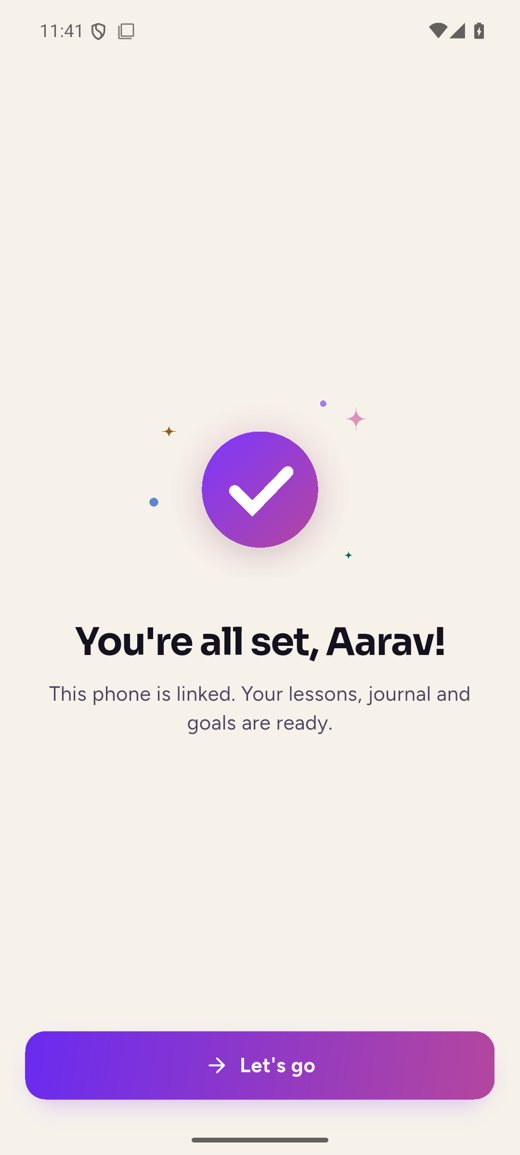
Scroll through: the phone shows each screen as you read about it. Tap the small screens to see more.
01 · Getting started
A child never needs their own account. A parent links the child’s phone from the AI Lessons family app with a six-digit code or QR. Learners aged 18 or over sign in with Google or their phone number.
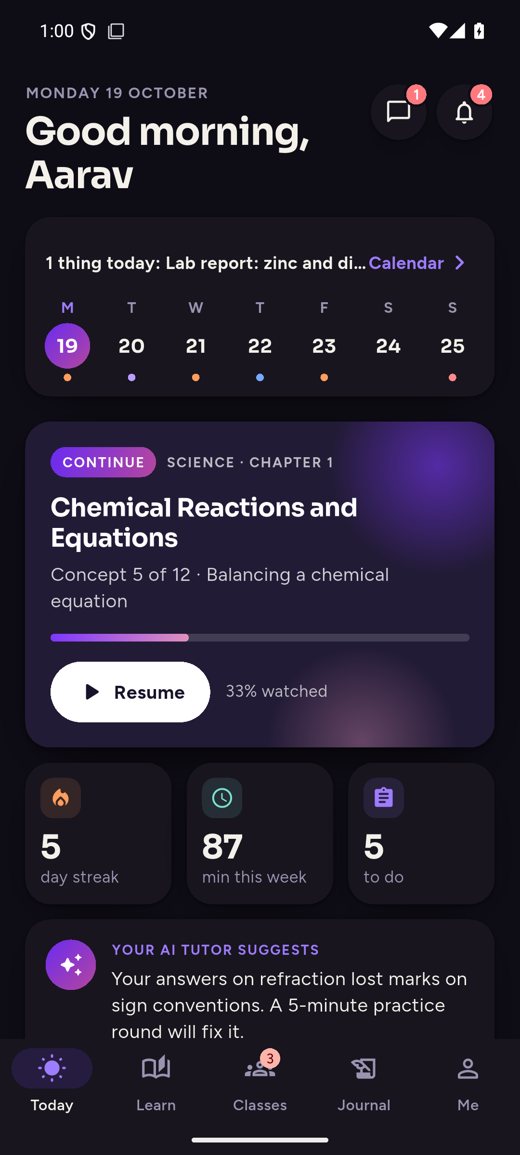
02 · Today
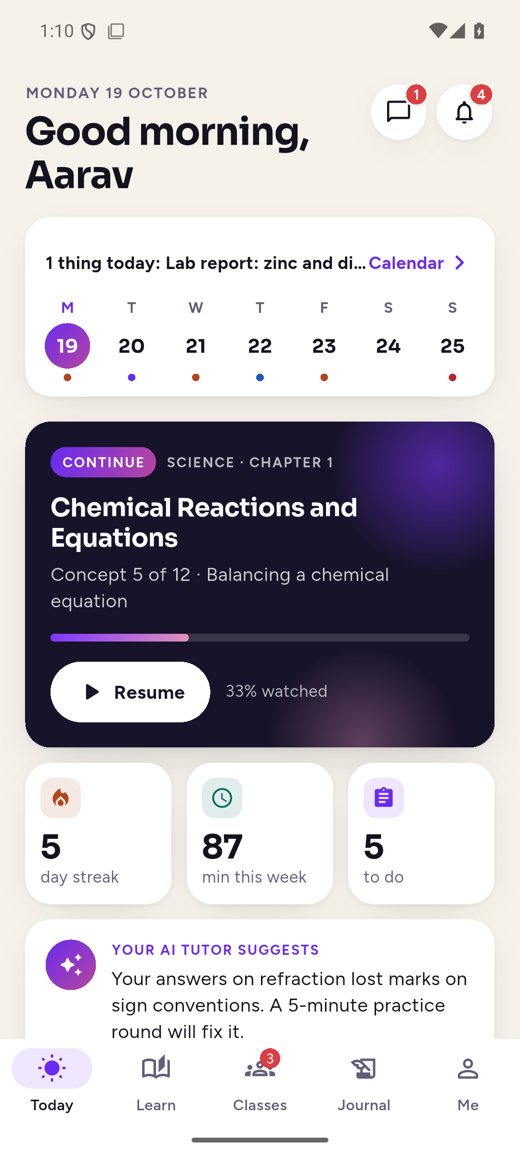
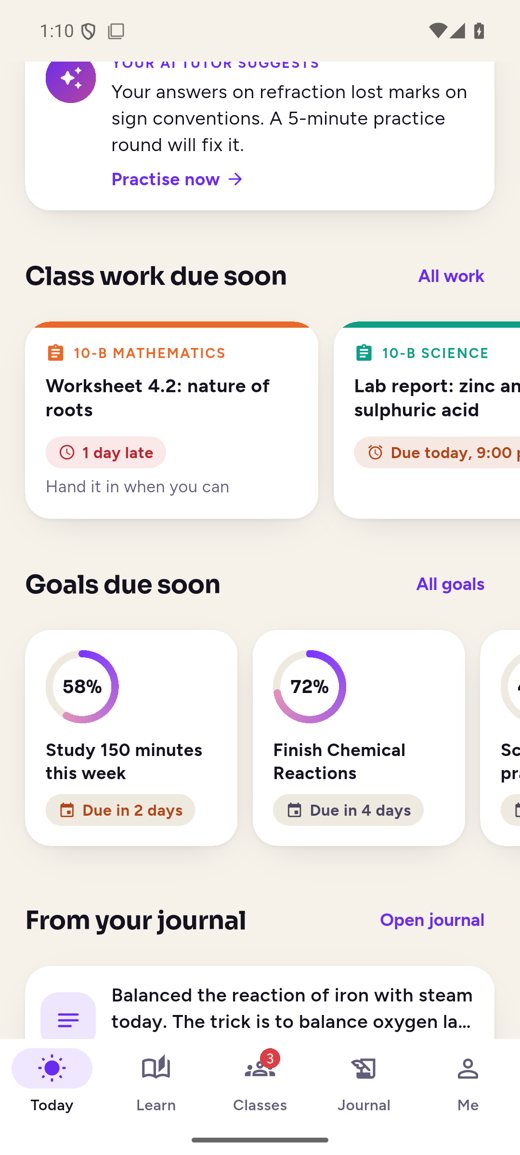
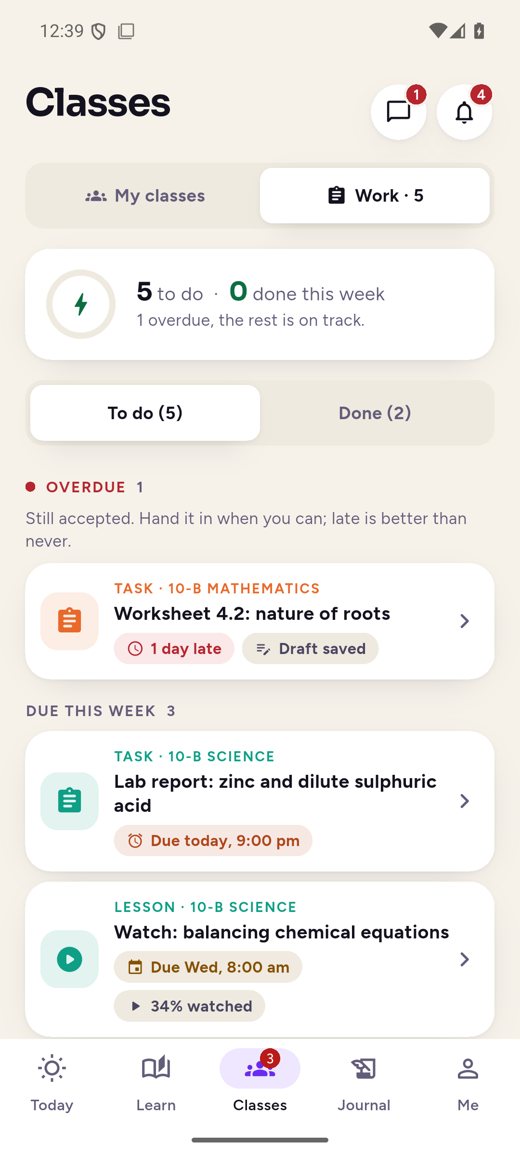
A calm daily home: the week at a glance, the lesson to pick up, and what’s due across every class.
03 · Learn
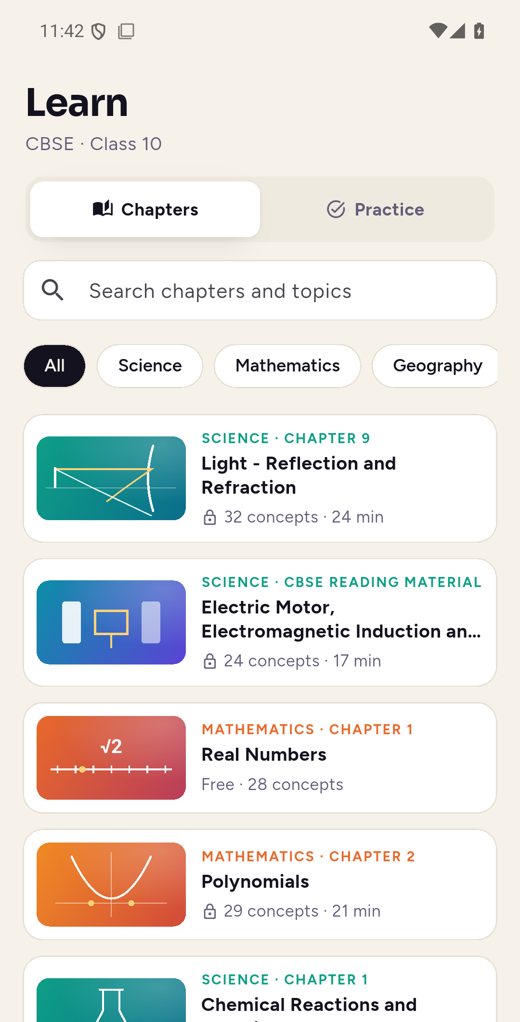
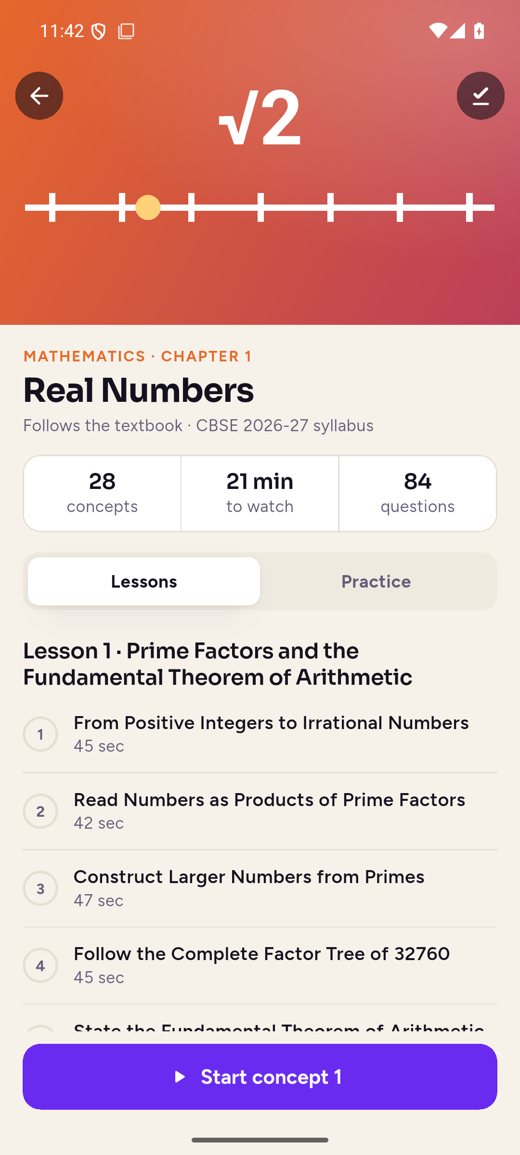
Every chapter becomes short narrated scenes, drawn as the narrator speaks. Grounded only in the textbook and approved by a human reviewer.
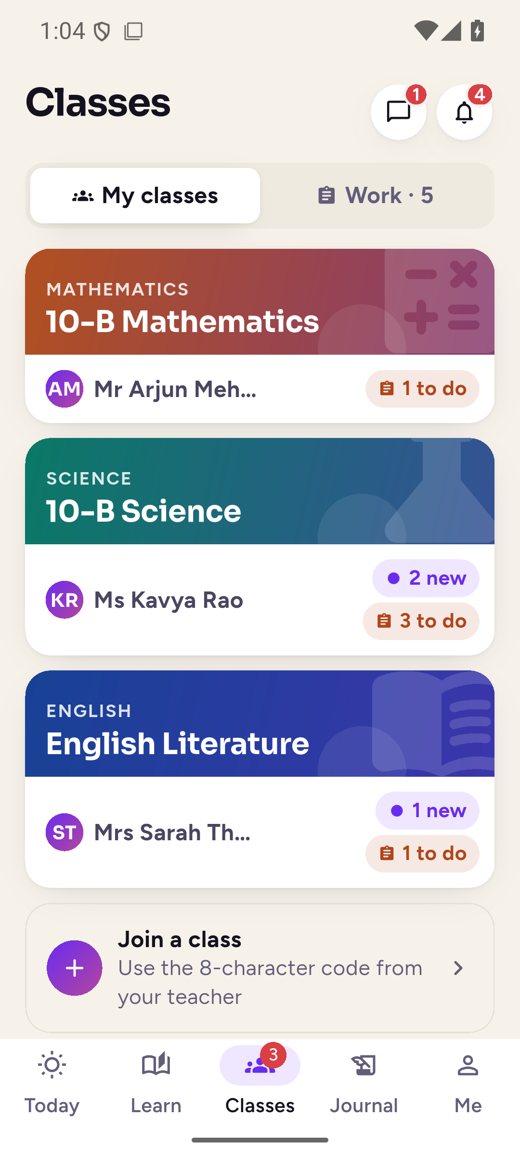
04 · Classes and work
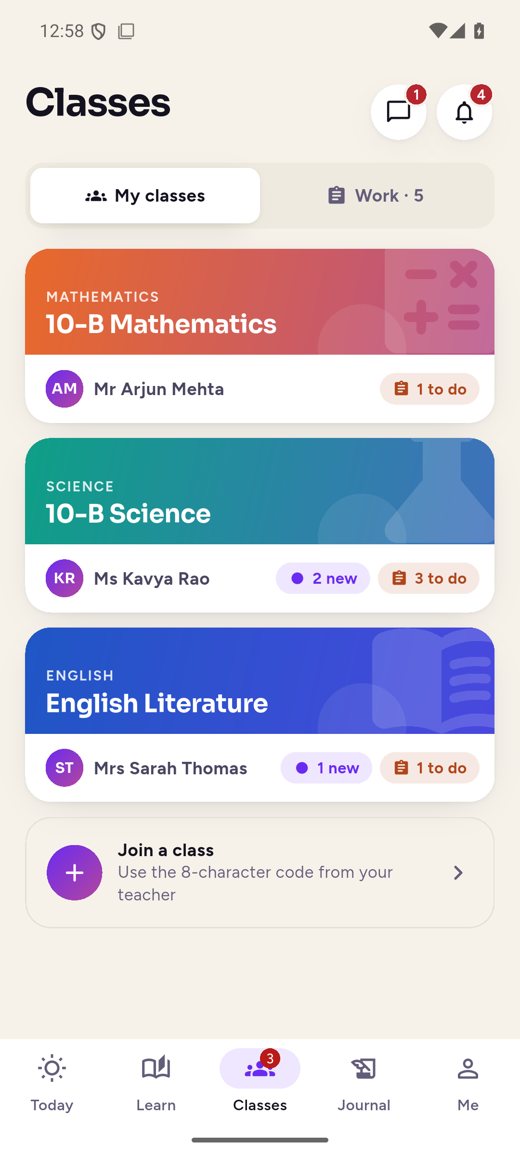
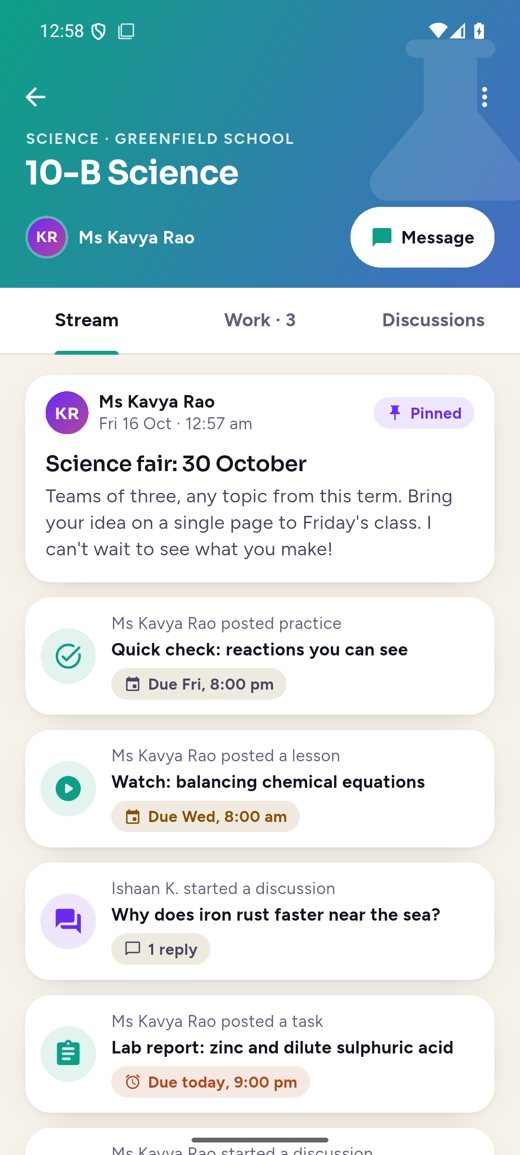
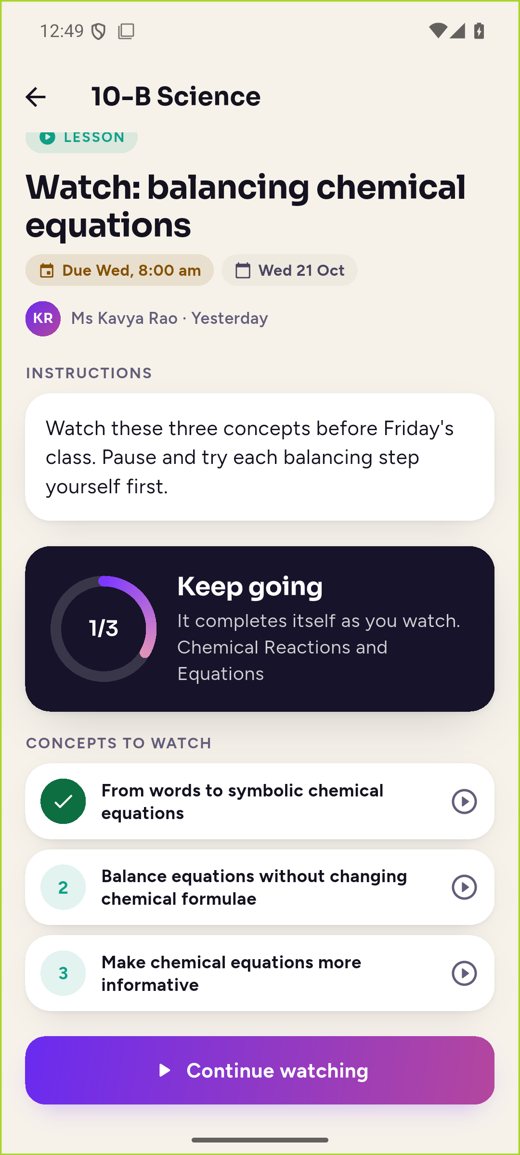
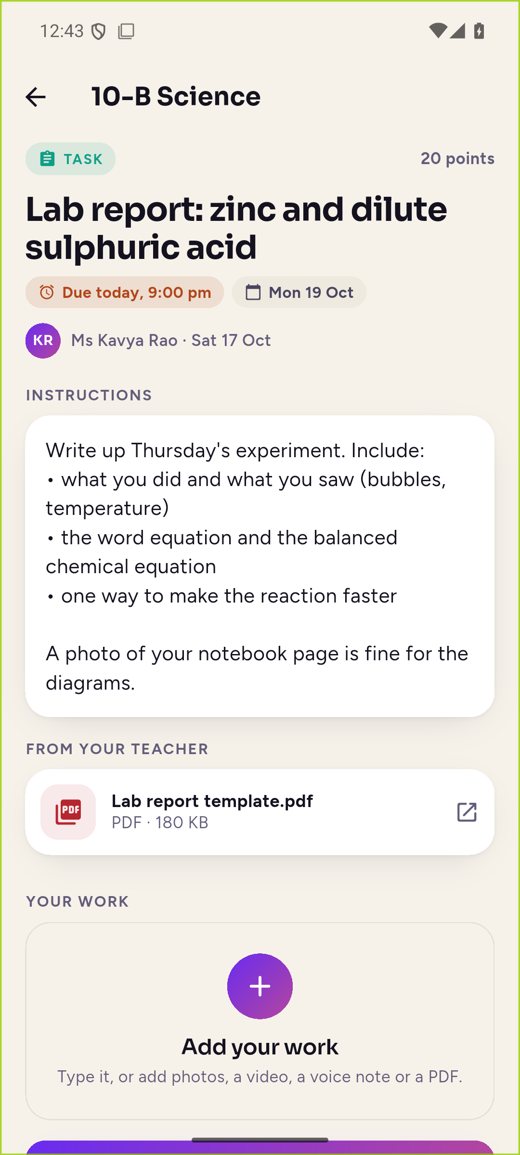
Each class has its own stream of announcements, work and discussions. Teachers set three kinds of work, and two of them use our own lessons and practice.
05 · Hand in and feedback
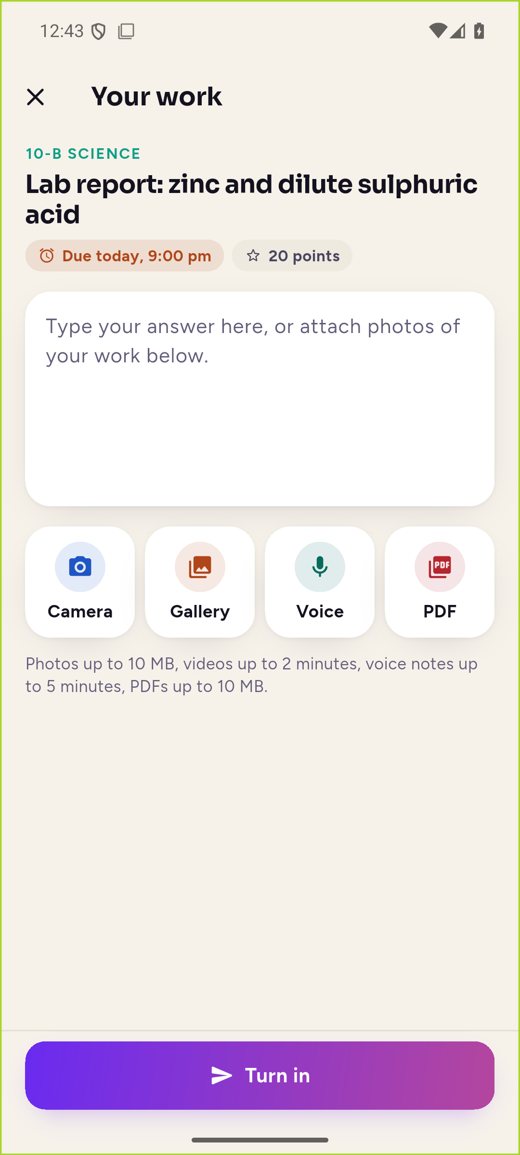
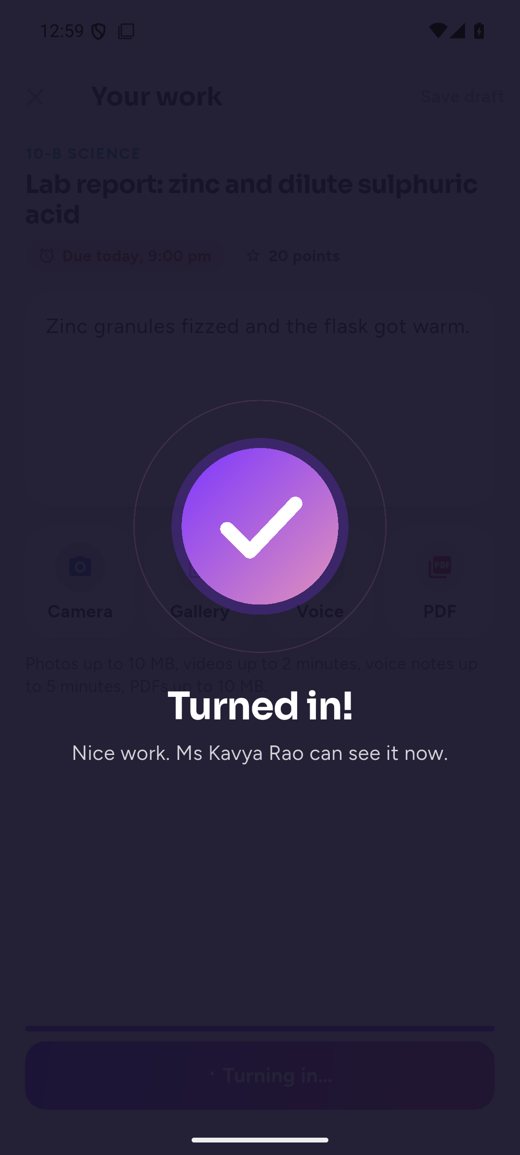
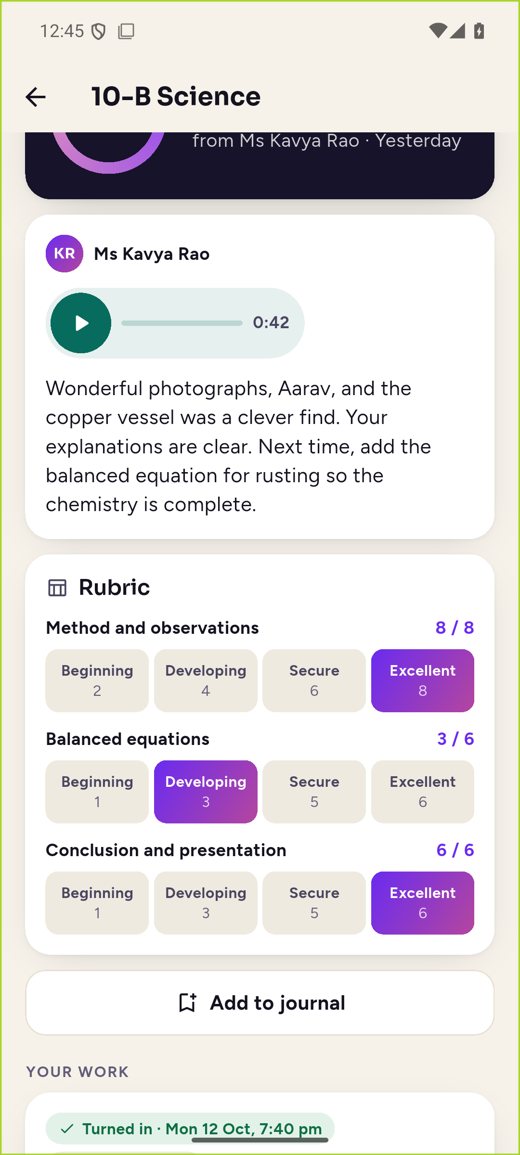
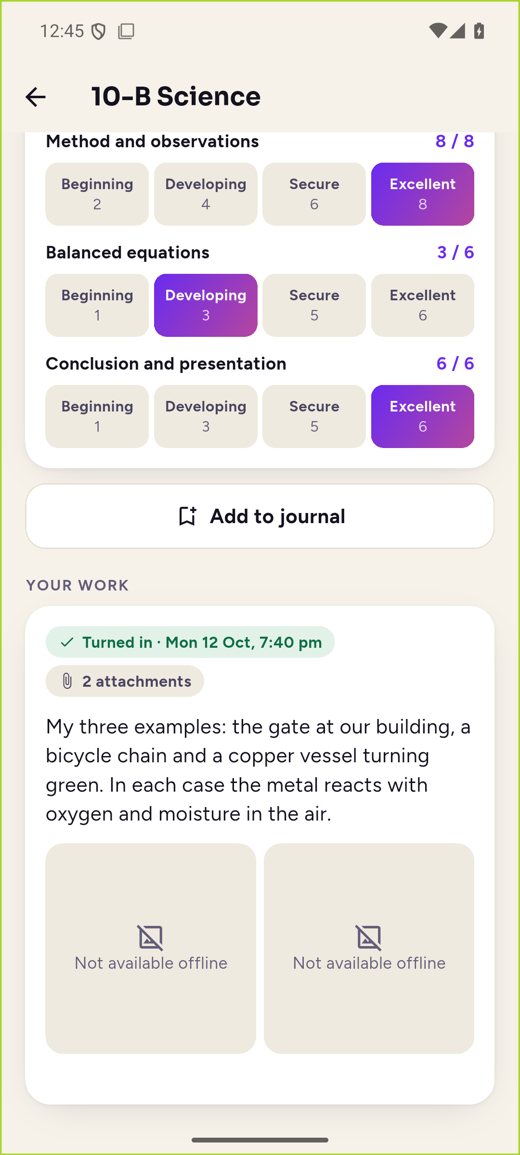
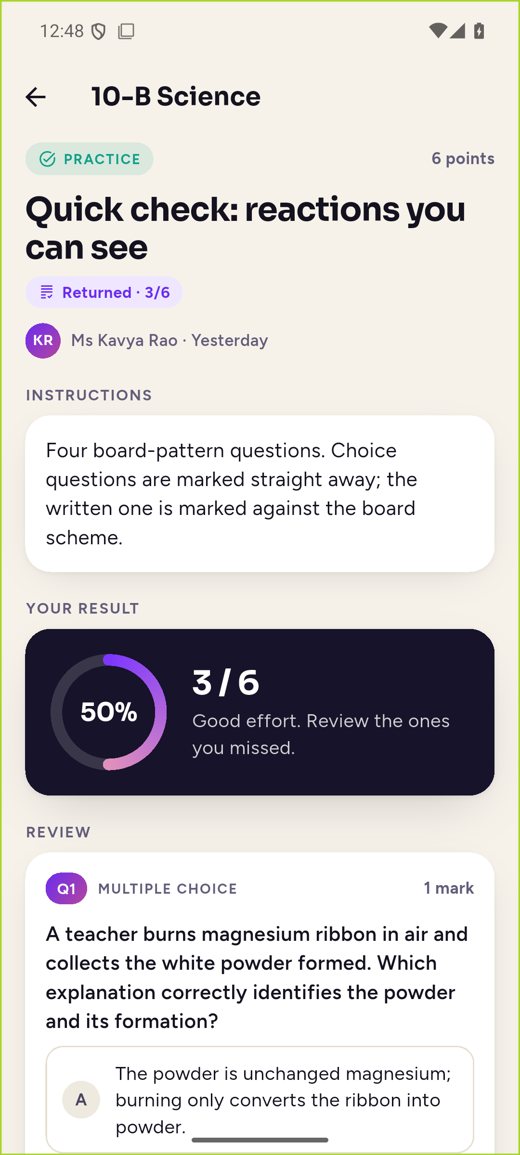
Handing in takes seconds. Returned work shows the score, the rubric level for each criterion, written feedback and the teacher’s voice note.
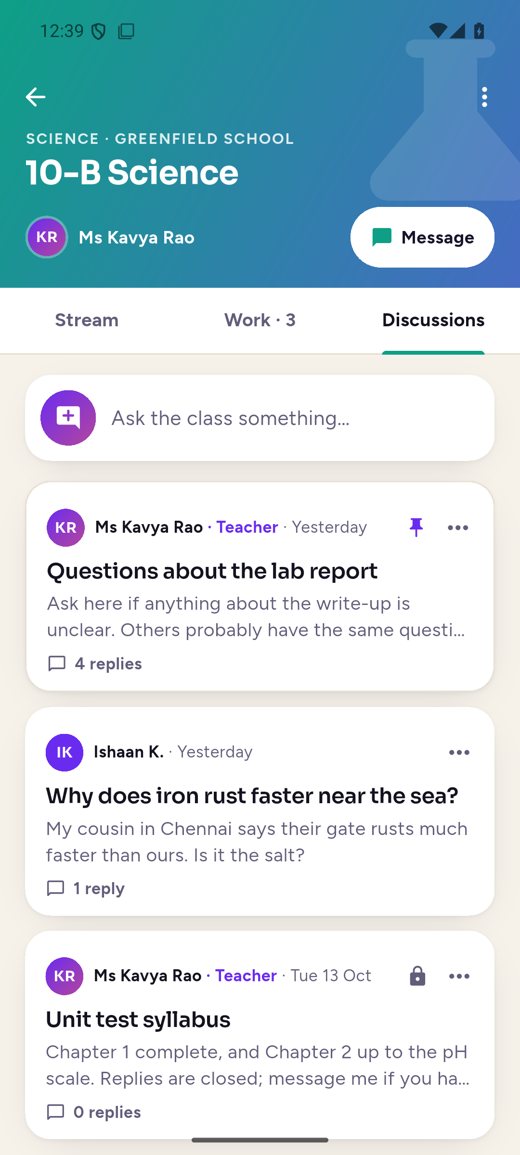
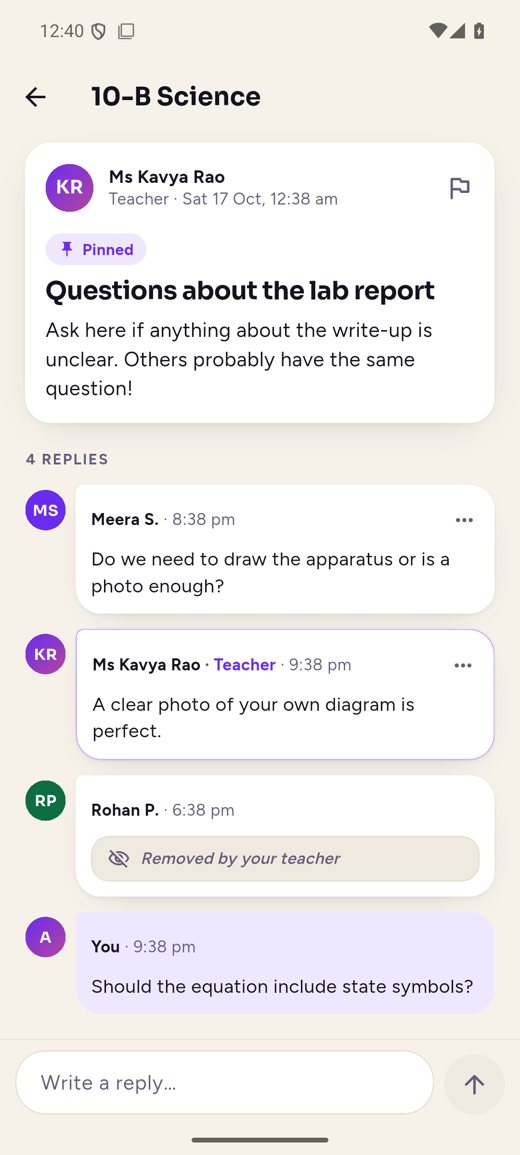
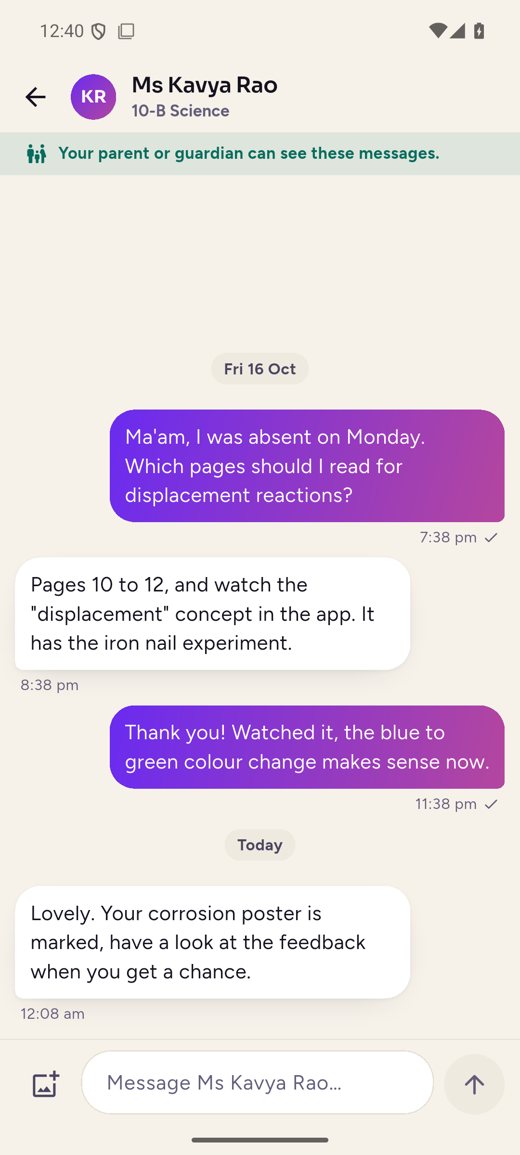
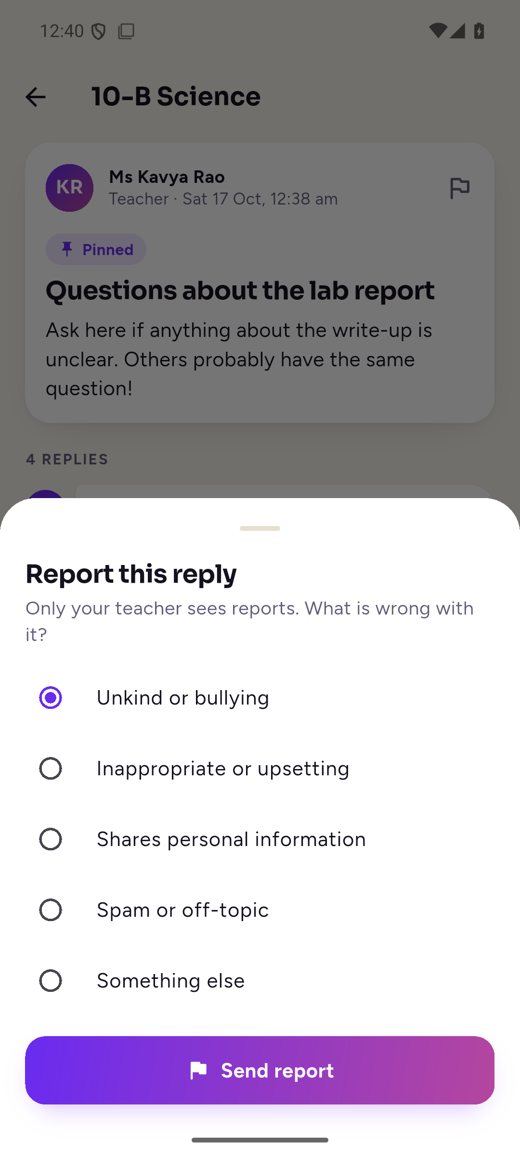
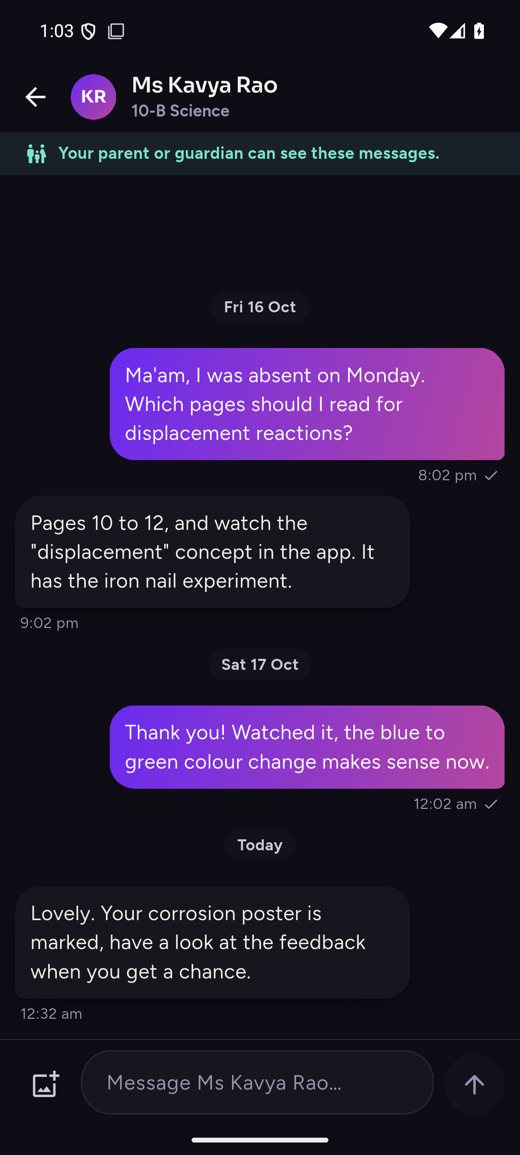
06 · Discussions and teacher chat
Discussions are moderated by the teacher and every post can be reported. Students message only their own teachers; there is no private chat between students.
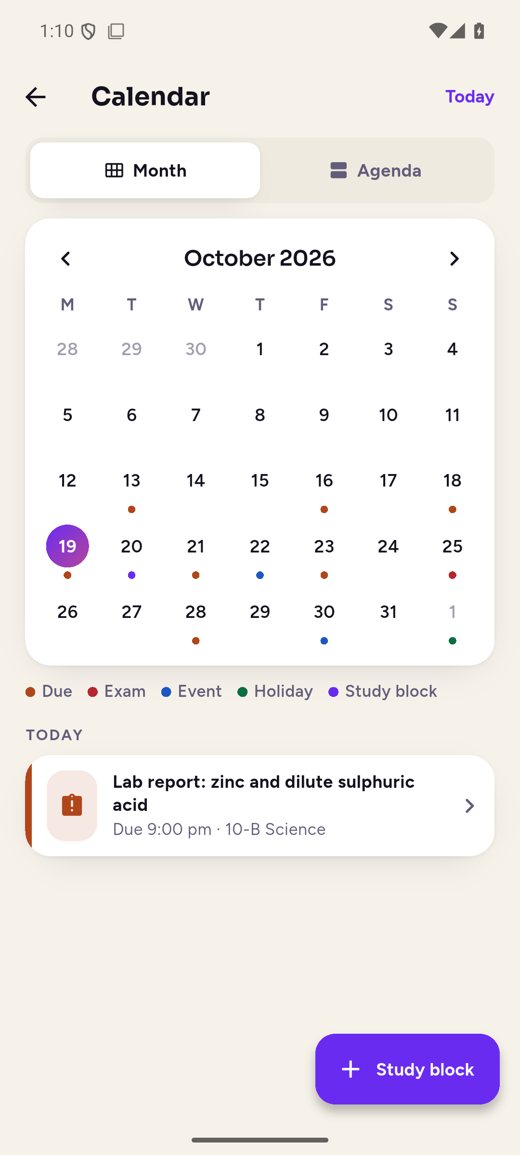
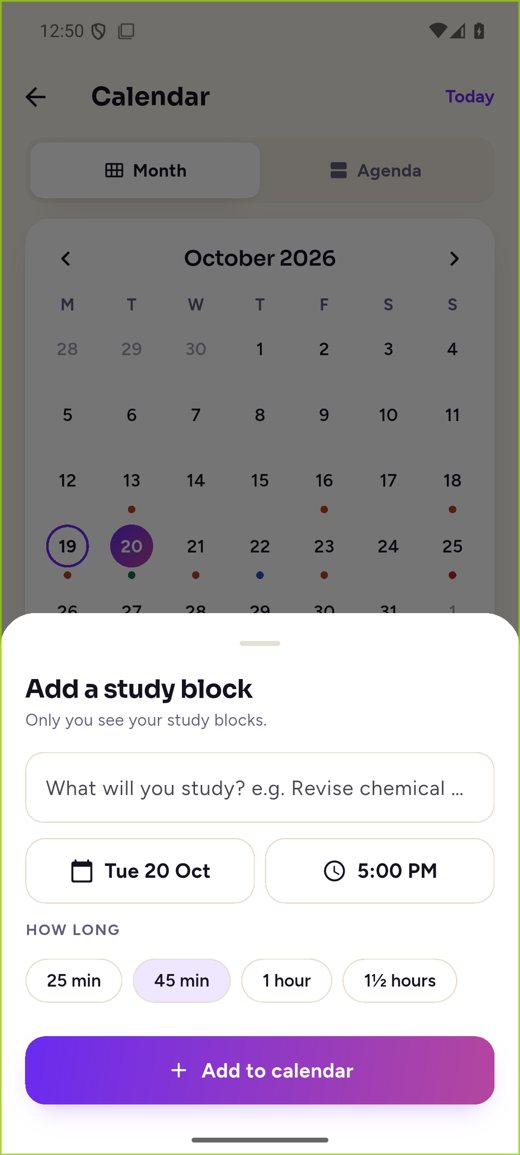
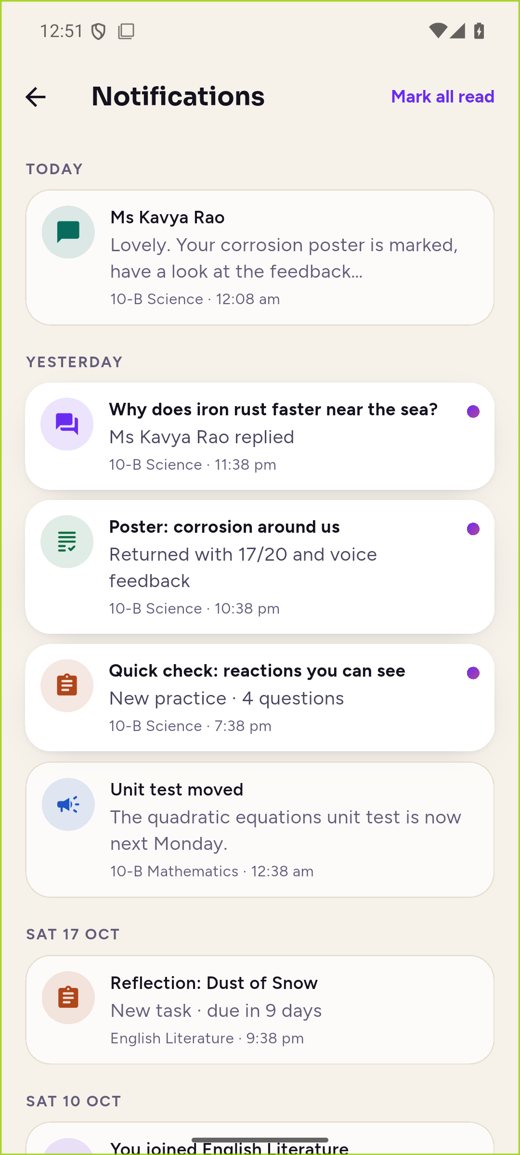
07 · Calendar and notifications
One calendar for due dates, exams, school events, holidays and the student’s own study blocks. Every notification opens exactly the right screen.
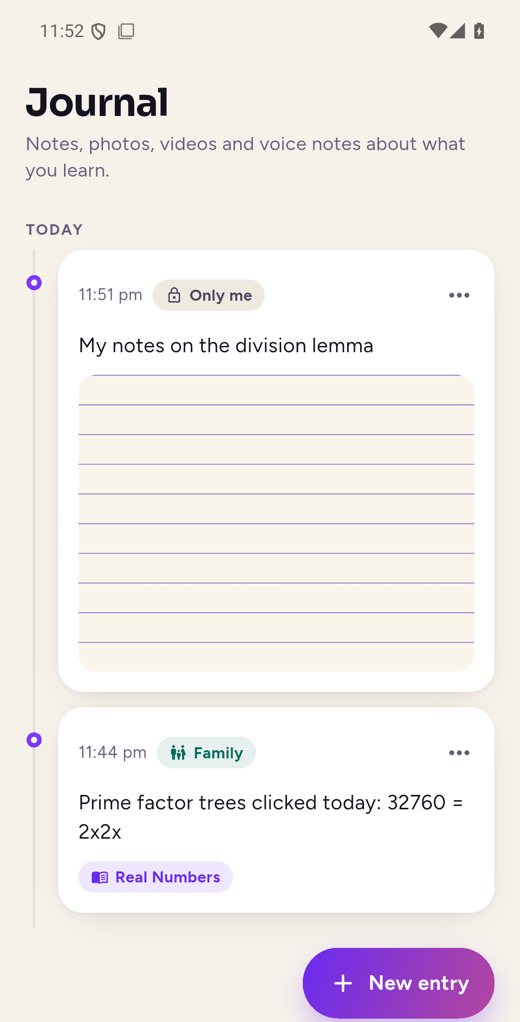
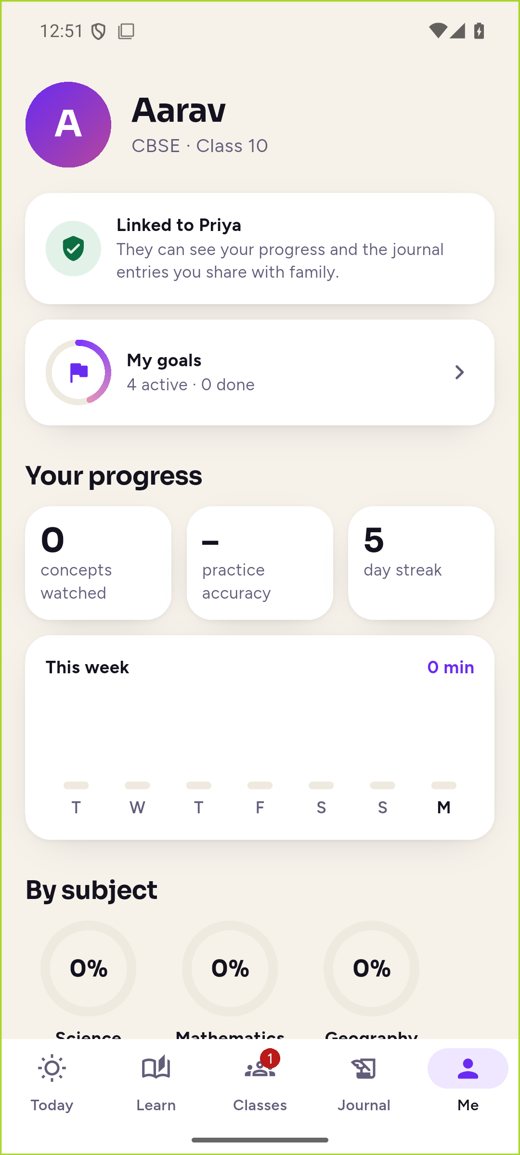
08 · Journal and goals
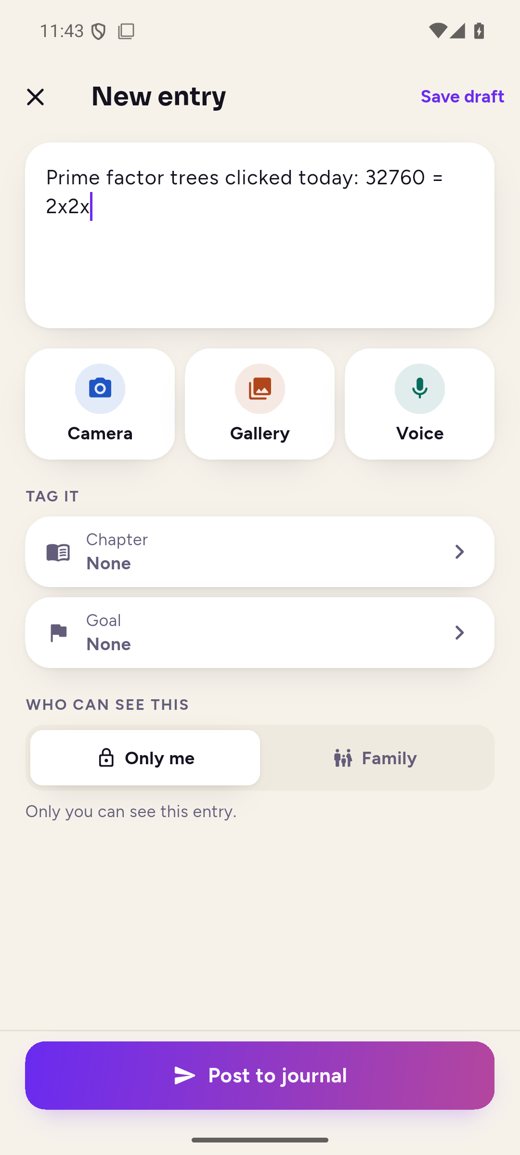
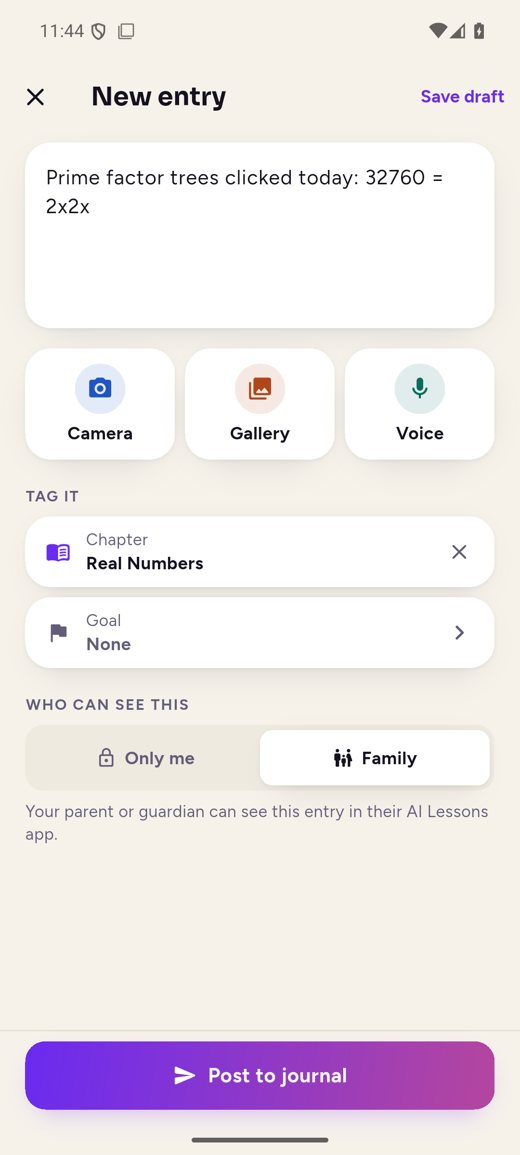
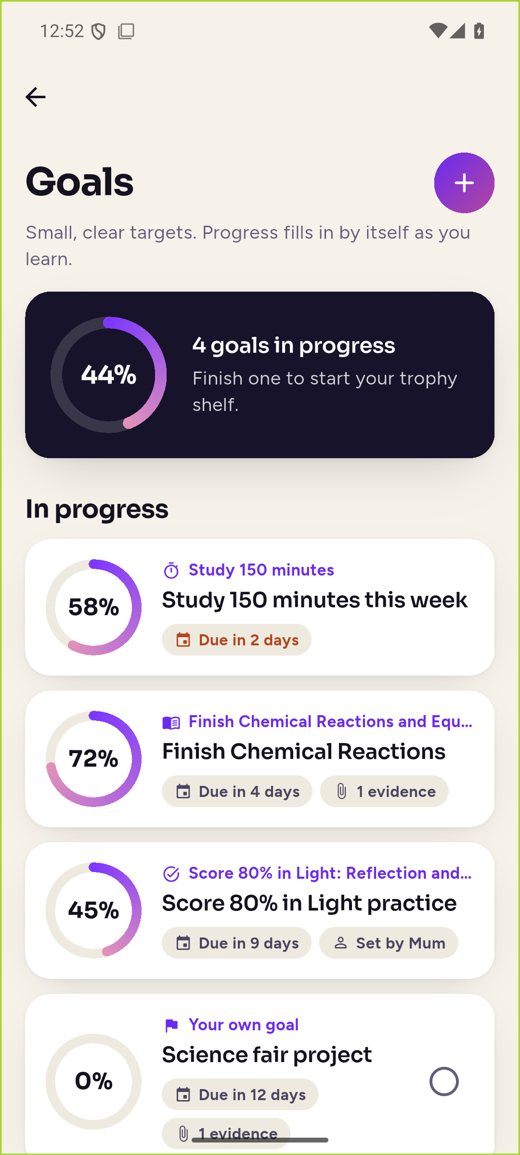
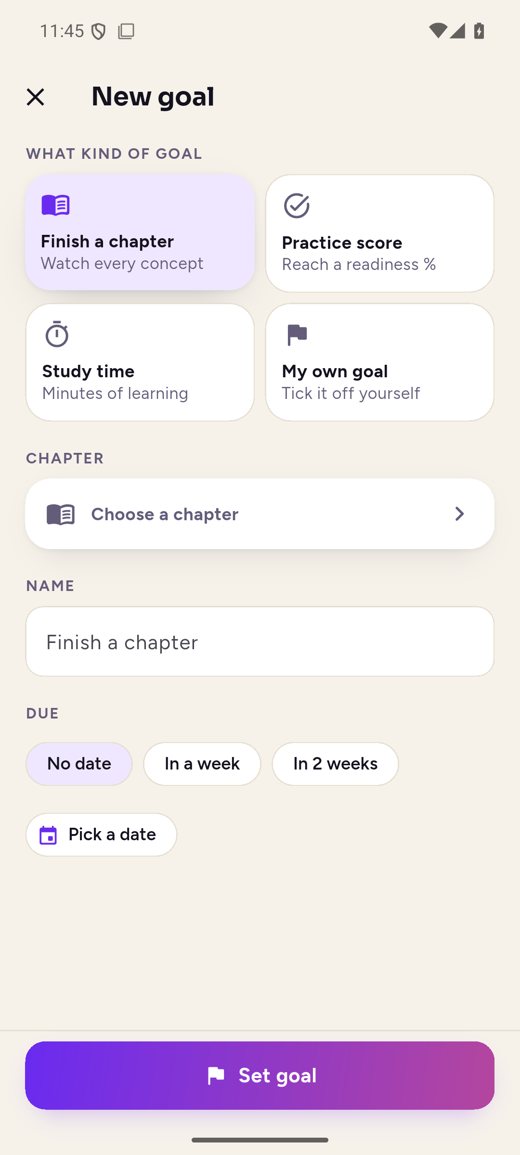
A learning portfolio of notes, photos, videos and voice notes, private unless shared with family. Goals fill in by themselves from lessons, practice and study time.
09 · Progress and comfort
Progress by subject and chapter and the week’s study minutes. Dark mode, larger text, big tap targets and clear contrast throughout.
For school leaders
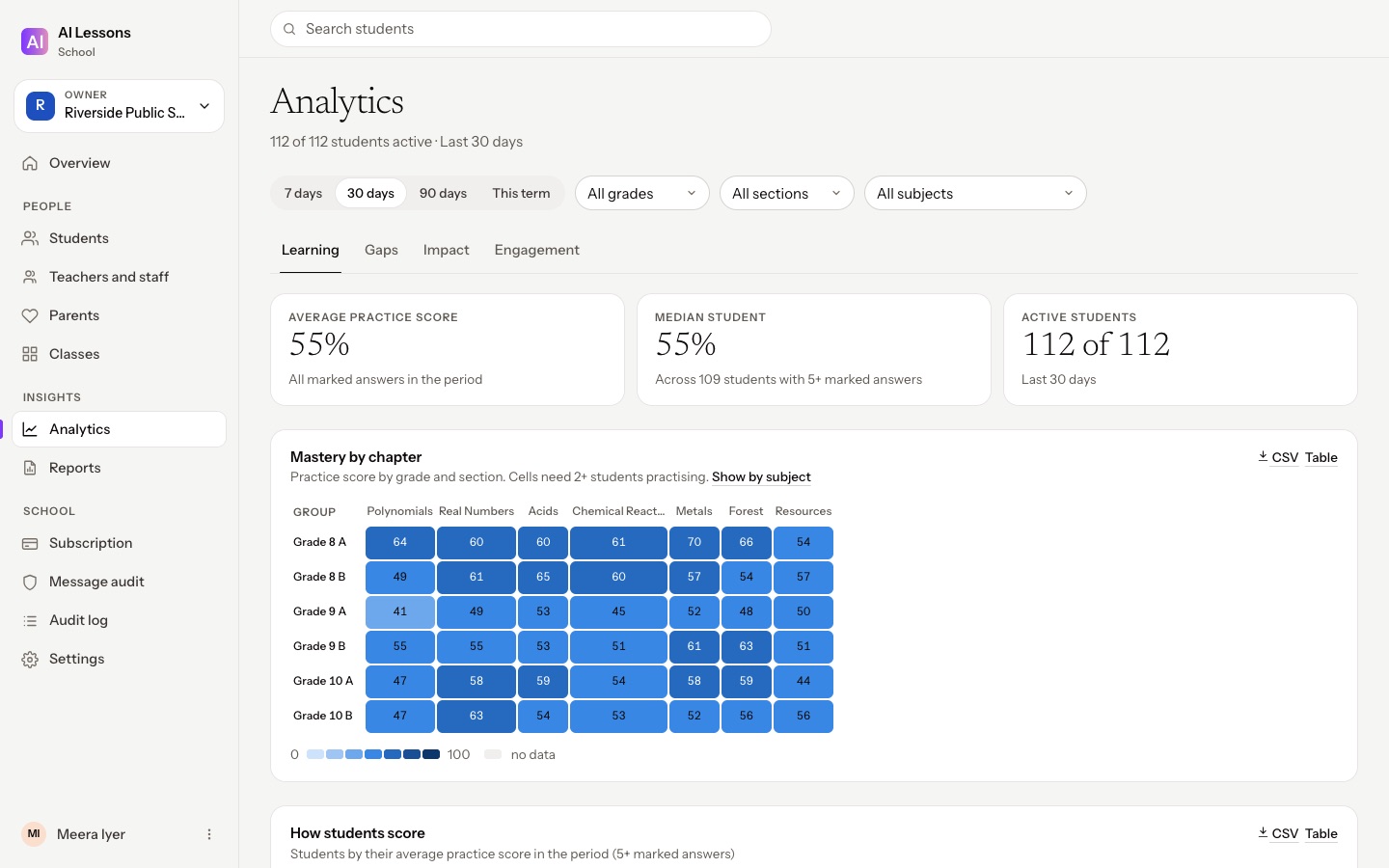
A school dashboard for principals and coordinators: students and parents, classes and staff, where learning is strong and where it needs help, reports, and seats. Teachers work in the same classes from the Teacher app or the browser.
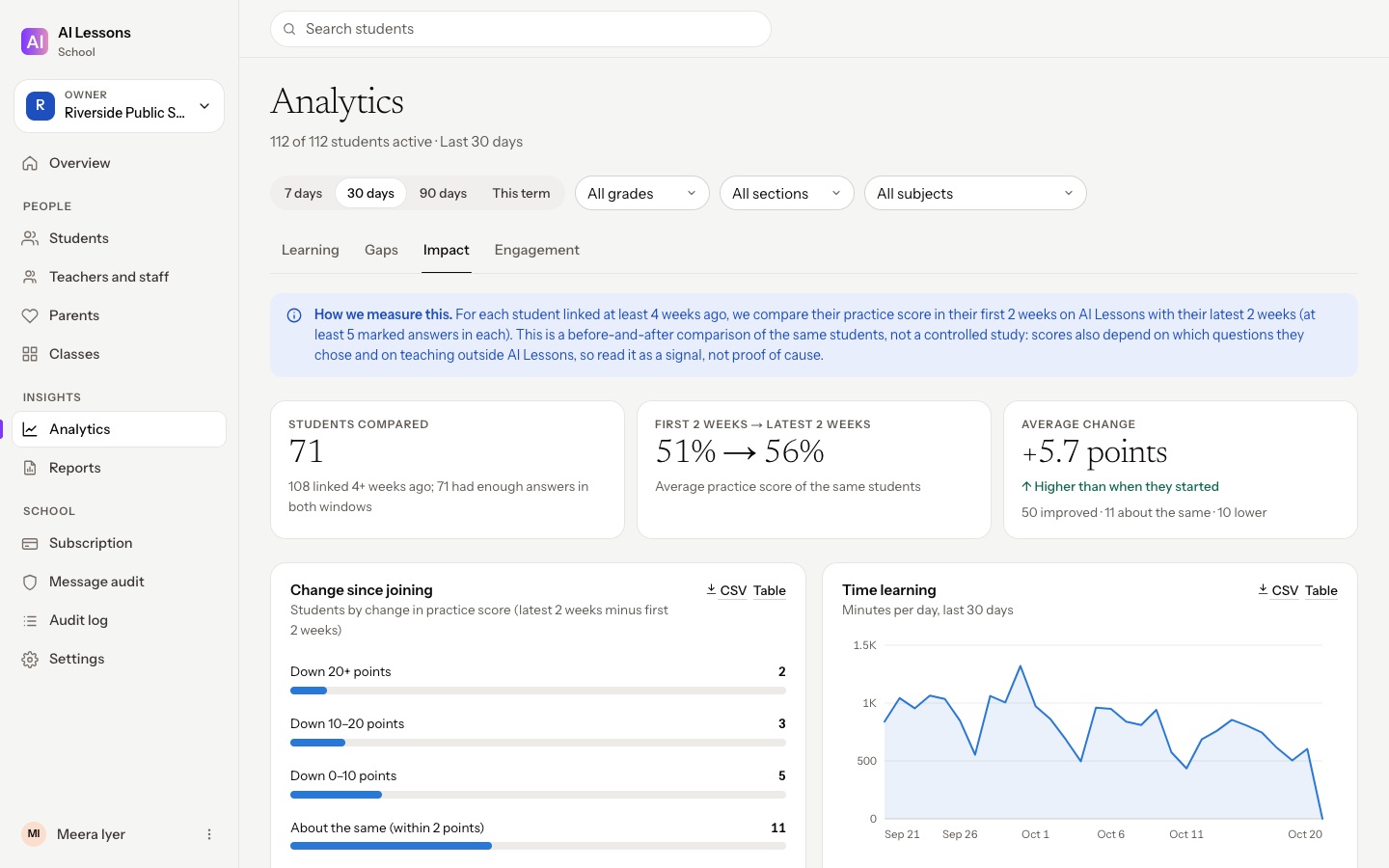
Swipe or scroll sideways through the screens: overview, analytics, impact, students, reports, a group of schools and the Teacher web app. Sample school, names and figures.
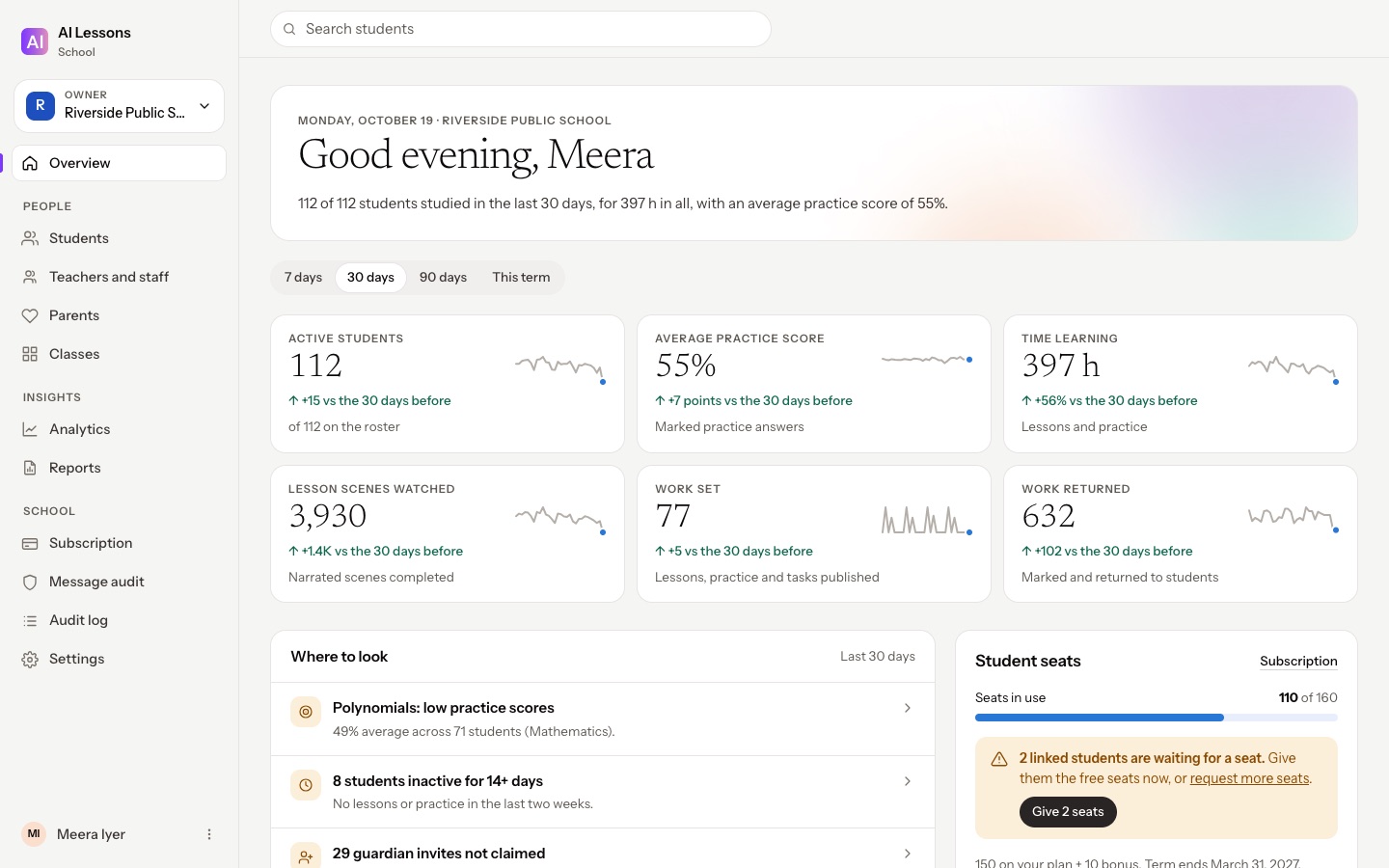
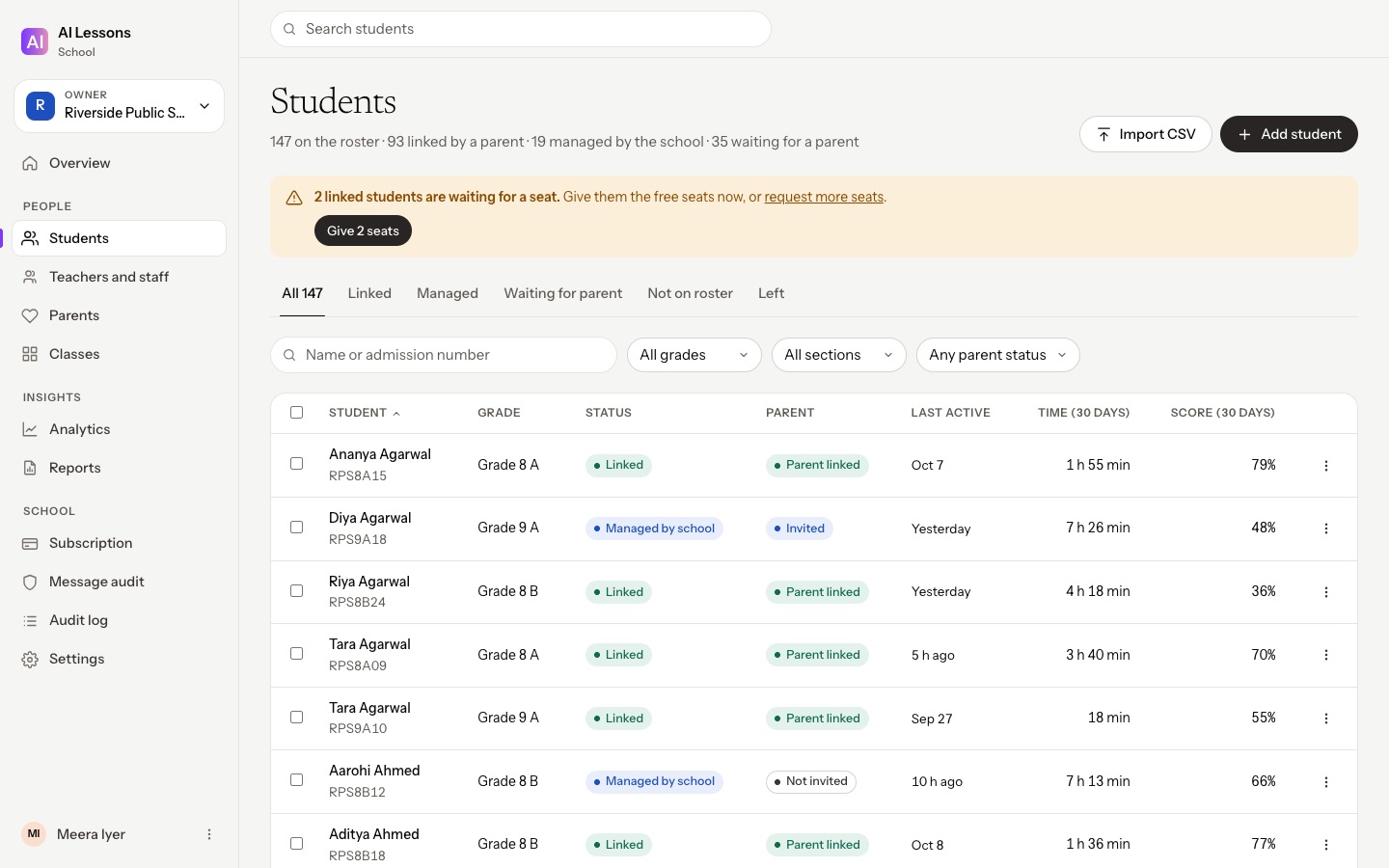
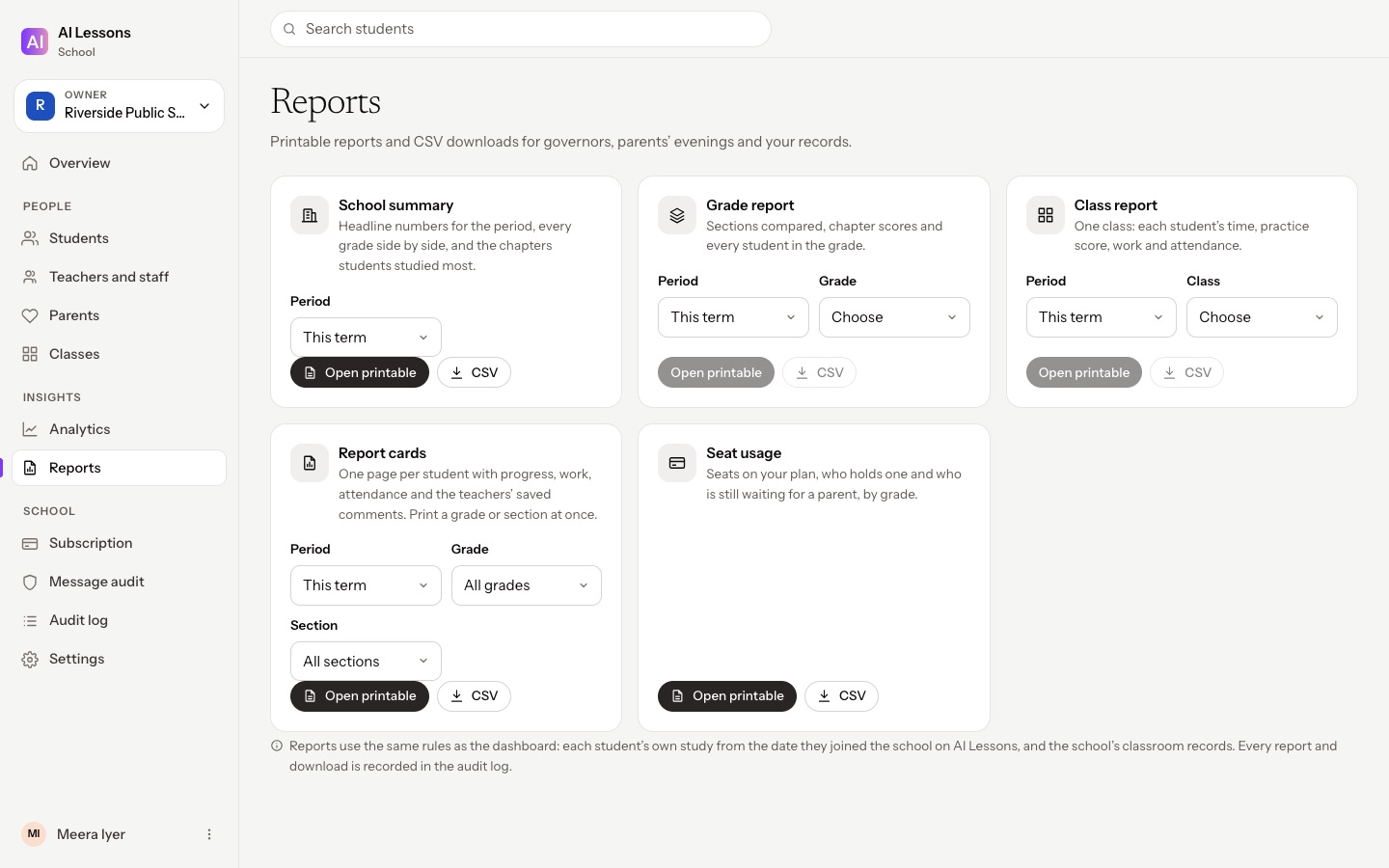
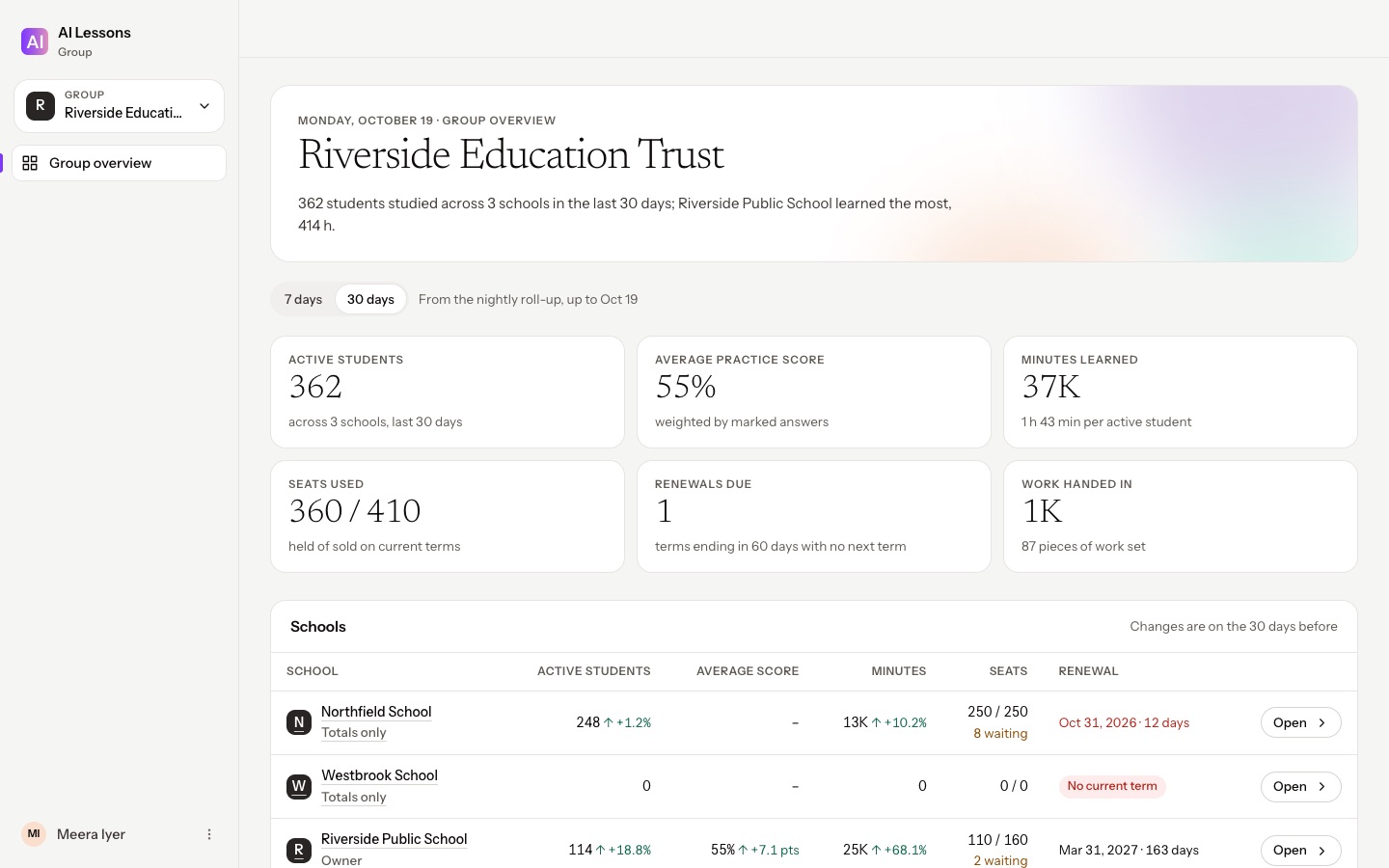
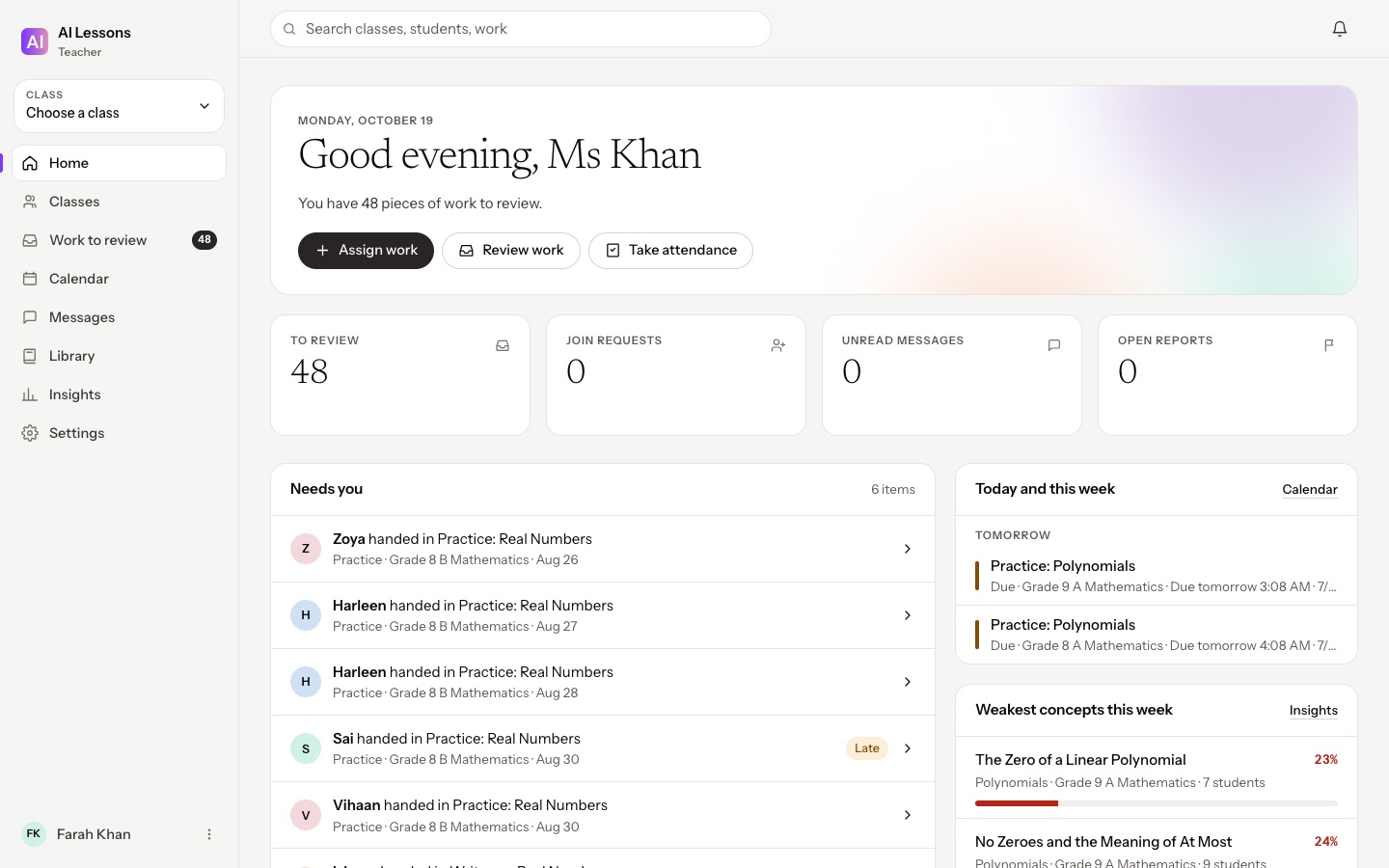
Import the roster from a spreadsheet. Each parent gets a personal, single-use invite by text, email or a printed slip with a QR code. No shared school code.
A parent links their child to the school in the Family app. The school never takes over a child’s account, and a class code alone never gives a school place.
Classwork, and each child’s progress from the day of the link (earlier only if the parent shares it). Never the private journal, family chats, other children or a family’s billing.
Mastery by chapter, grade and section, the concepts students find hardest, and the students who need a check-in.
The same students before and after, with the method on screen. A signal to act on, never presented as proof of cause.
Printable school, grade and class reports and one-page report cards with teachers’ comments, plus CSV downloads.
Per-student seats for the school year: who holds one, who is waiting, and a reminder well before the term ends.
Trusts and chains compare their schools’ totals side by side. Students stay visible only to staff at their own school.
A message audit for owners and admins, each school’s data sealed off from every other school’s, and support access that is read-only and recorded.
Impact compares the same students’ practice scores in their first two weeks and their latest two weeks. It is a before-and-after signal, not a controlled study, and the dashboard says so.
For teachers
School plans: talk to us · Parents approve every link · Each school’s data kept apart
Every chapter, every subject
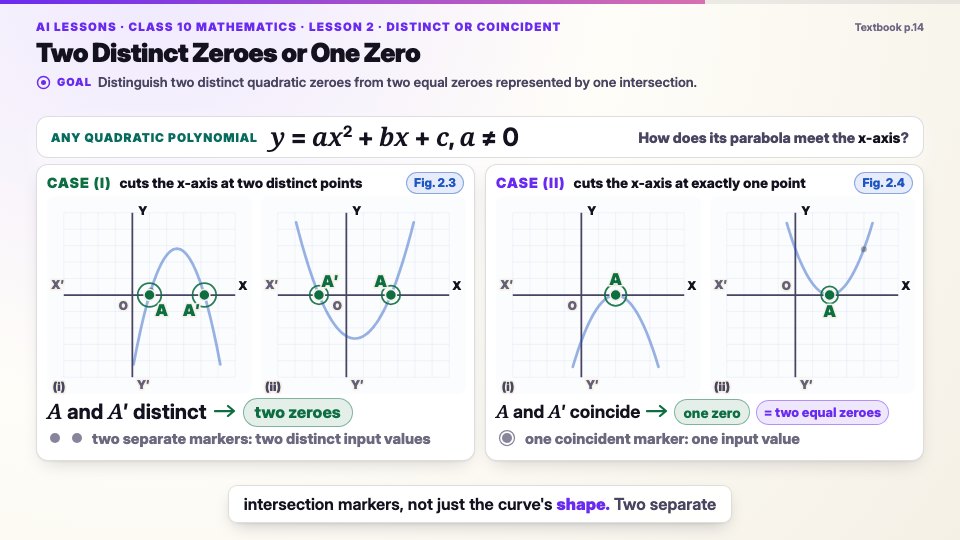
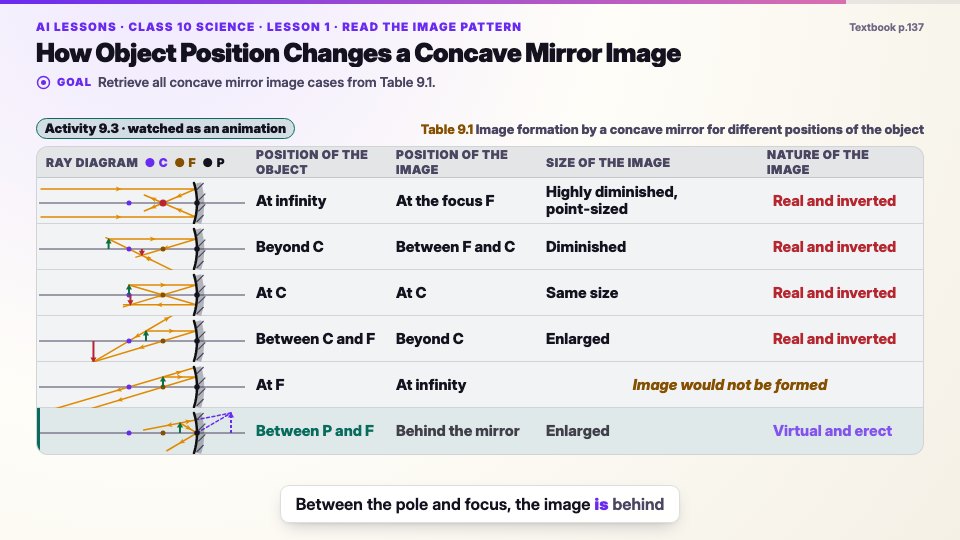
Every scene is drawn on warm paper as the narrator speaks it, in every subject.
Why you can trust it
Written only from the textbook. Approved by a person before students see it.
Every fact shown or said comes from the chapter itself. Nothing is added from elsewhere.
Each word is timed to the visuals, so a label appears exactly when it is spoken.
Lessons follow the syllabus, and practice follows its exam pattern and marking.
Free to start, no card · No ads or tracking · Every lesson reviewed by a person
Every subject, one way to learn · more on the way
FamilyFor parents
Yes. A child never needs their own email or phone number: a parent links the child’s phone. Students message only their own teachers, discussions are moderated by the teacher, and parents can read teacher chats. There are no ads and no third-party analytics or tracking, and you can delete your data at any time.
Family dashboard
2 profilesThe school sends you a personal invite. You choose which child it is and approve the link; nothing is linked without you.
Classwork and progress from the day you link, and earlier progress only if you choose. Never the journal, family chats or your billing.
If the school place covers your plan, you can stop renewing: the paid days you have left are banked and switch on by themselves when the school place ends.
Children earn badges and certificates for chapters, mastery and streaks. Anything with money value goes to the parent, never the child.
Safety and school controls
What school leaders and parents ask about most, answered in the product itself.
A parent links the child’s phone, or the school invites the parent from its roster and the parent approves the link. No email or phone number needed.
A class code alone is not enough.
No private chat between students; parents can read teacher chats.
Pin, lock or remove posts; report anything; contact details blocked.
Journal photos, videos and voice notes are private unless shared, kept in private storage, and never used to train AI.
Removing a profile deletes the journal, media, goals, submissions and messages.
Written only from the textbook, checked automatically for accuracy and readability, and approved by a human reviewer before release.
Encrypted, watermarked, no screen recording.
Every school’s data is kept apart from every other school’s, enforced in the database itself. A group of schools sees totals, never another school’s students.
School leaders can review teacher messages for safeguarding; every view is recorded.
Our support team can view a school’s dashboard to help, never change it, and every view is logged for the school.
One account
Students, families and teachers share the same classes, work and progress, and school leaders see it all from the web.
Lessons, the AI tutor, exam-style practice, classwork, a learning journal and goals, plus badges and certificates.
Learn · for students
Each child’s progress and reports, teacher chats, links to the child’s school and the family’s rewards.
Family · for parents
Classes and rosters, setting work, rubrics and voice feedback, class insights, and joining your school.
Classroom · for teachers and schools
On the web
Availability: AI Lessons Student, Family and Teacher and the Teacher web app are in early access; the school dashboard is available to schools on request. Android first, then iPhone and the web. Teachers and school leaders also have their own web apps.
Pricing
Try the first chapter of every subject free, with no card needed. The price of AI Lessons Plus is announced at launch.
Free to try
The first chapter of every subject. No card needed.
Price announced at launch
Everything from the first lesson to the final exam.
Talk to us
School plans for classes, teachers and families.
Android first, then iPhone and the web. Teachers and school leaders also have their own web apps. One account on every device.
FAQ
Ready when you are. Join early access and hear first when the Android apps open.
Get early access Browse the chapter guidesAI Lessons is an app for students that turns every textbook chapter into narrated, animated lessons, with an AI tutor that knows the exact moment you are on and exam-style practice marked step by step. Teachers use it to set and return classwork, and parents use it to see progress and keep control.
Pause any lesson and ask. The AI tutor knows the exact moment of the lesson you are on, so it answers about what was just shown and said rather than starting from scratch. Students can ask follow-up questions in their own words, and “Check it” questions after each idea show whether it has sunk in.
A student joins a class with the teacher’s class code, and the teacher approves the request. Teachers set lessons, practice and tasks as work; students hand in text, photos, video, voice notes or files; and teachers return scores, rubric levels and written or voice feedback. Teachers work from the AI Lessons Teacher app or the Teacher web app.
Yes. A child never needs their own email or phone number: a parent links the child’s phone. Students message only their own teachers, discussions are moderated by the teacher, and parents can read teacher chats. There are no ads and no third-party analytics or tracking, and you can delete your data at any time.
Yes, the first chapter of every subject is free to try, with no card needed. AI Lessons Plus unlocks every chapter, the AI tutor, exam practice and offline downloads; its price will be announced at launch. Schools can talk to us about school plans.
The first lessons follow the CBSE Class 10 syllabus in Science, Mathematics and Social Science, and each one has a free chapter guide. More subjects, classes and curricula are on the way.
Every lesson is written only from the textbook, passes automated quality and readability checks, and is approved by a human reviewer before students see it.
Yes. Lessons download to the phone and play without an internet connection.
AI Lessons Student, Family and Teacher and the Teacher web app are in early access; the school dashboard is available to schools on request. Android comes first, then iPhone and the web, with one account on every device. Join early access to hear first when it opens.
The school imports its roster, and each parent gets a personal, single-use invite by text message, email or a printed slip with a QR code; there is no shared school code. The parent opens the invite in the AI Lessons Family app, chooses which child it is and approves what the school will see. A class code alone never gives a school place.
Classwork, and the child’s progress from the day the parent links them, plus earlier progress only if the parent chooses to share it. The school never sees the private journal, family chats, other children on the account or the family’s billing. The school’s leaders can review messages between teachers, students and parents for safeguarding, and every review is recorded.
Nothing changes without your consent. If the school place covers everything your plan does, you can stop renewing: the paid days you have left are banked and switch on by themselves when the school place ends. If your plan covers more, such as a brother or sister at another school, it simply carries on. Your child’s progress, journal and goals stay with your account.
Lessons, the AI tutor, exam-style practice, offline downloads, a learning journal and goals work for every student. Classes, work, feedback, discussions and teacher chat switch on when the student joins a teacher’s class.
No. A child never needs their own account, email or phone number. A parent links the child’s phone with a six-digit code or QR, and learners aged 18 or over sign in with Google or their phone number.
No. Students message only their own teachers, discussions are moderated by the teacher, every post can be reported, and parents can read teacher chats.
A parent or adult holds the account, and each child studies in their own profile under it. Students under 18 should ask a parent to sign up.
Yes, for learning rather than screen time: badges and certificates for chapters completed, mastery and steady streaks. Anything with money value, such as a discount, a voucher or free days, goes to the parent’s Rewards inbox in the Family app, never to the child.
Yes. A teacher invited by their school accepts in the Teacher app or on the web and chooses which of their classes move into the school; private tuition classes stay with the teacher. Teachers can also refer their school from the Teacher app.
Our support team can open a school’s dashboard to help, read-only: nothing can be changed, contact details are hidden, the message audit stays closed, and every view is recorded in the school’s own audit log. Each school’s data is kept apart from every other school’s.
School plans are priced per student seat for the school year. Schools pay by invoice or online, never through the app stores. Talk to us: choose “School” in the early-access form.
Early access
AI Lessons opens first on Android. Leave your email and we will tell you the moment it opens, with launch pricing before anyone else. Schools: choose “School” and we will be in touch to set up your school.
Screens are from pre-release builds of the Student app (Android) and of the Teacher web app and school dashboard (October 2026). Student, teacher, parent and school names and all figures shown are sample data. Lessons follow the official textbook and syllabus for each board and class; the first published chapters are for CBSE Class 10.