Built up step by step
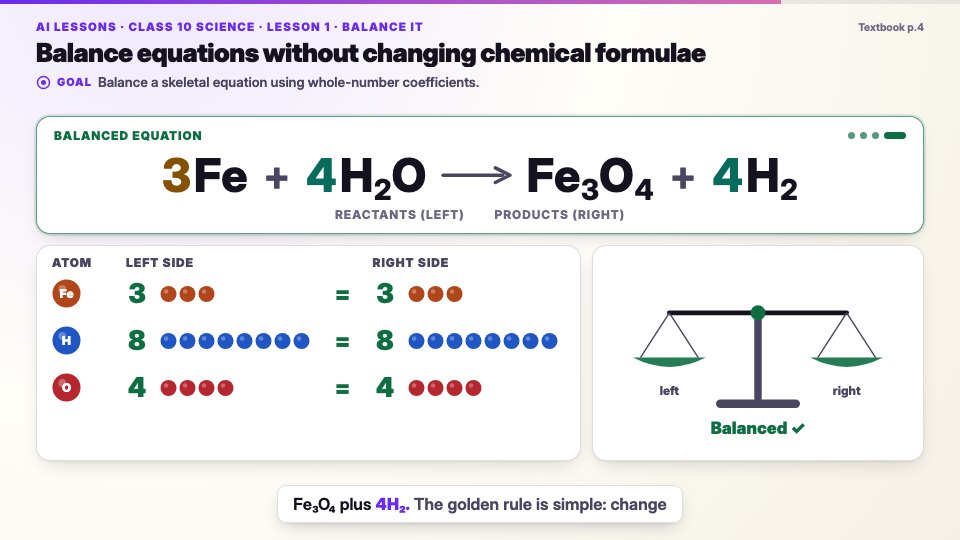
Each coefficient appears on the word that names it; the atom counts update until the balance levels.
The Student app · Product tour
Narrated, animated lessons, an AI tutor and board-pattern practice in every student’s pocket, now connected to their teachers through classwork, feedback, discussions, a calendar and a learning journal.
See it for yourself
One complete scene from Class 10 Science, Chapter 1: Chemical Reactions and Equations, in the full lesson screen. Press play with the sound on, then try the panel: the chapter’s concepts, a real “Check it” question and the AI tutor.
Each coefficient appears on the word that names it; the atom counts update until the balance levels.
Equation, page reference and wording come from the textbook; a human reviewer approved it.
Each scene passes automatic checks for text size, contrast and overlapping text.
In the app, students pause any moment to ask the AI tutor or check their understanding.
The tour
Scroll through: the phone shows each screen as you read about it. Tap the small screens to see more.
01 · Getting started
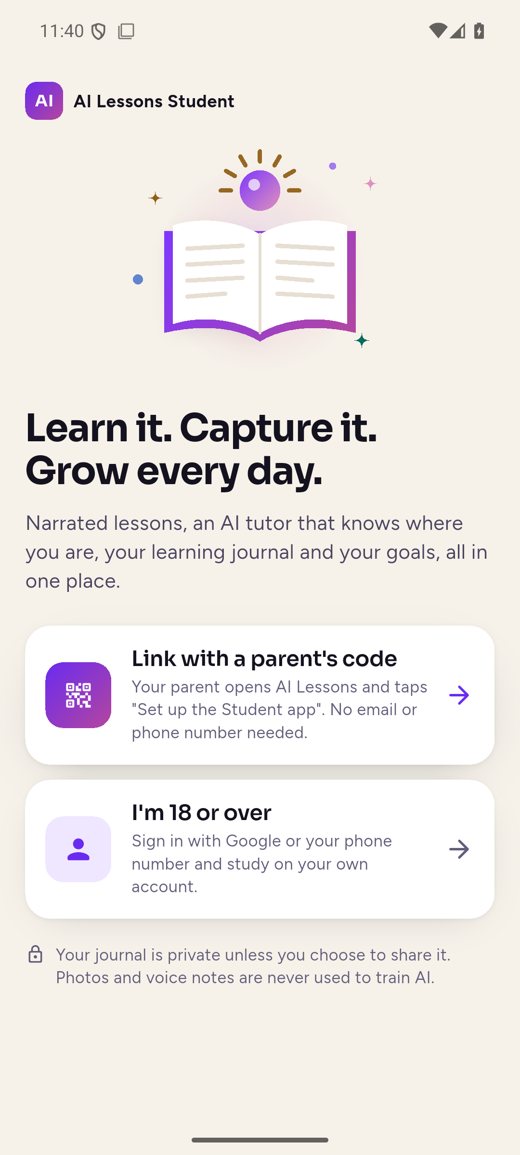
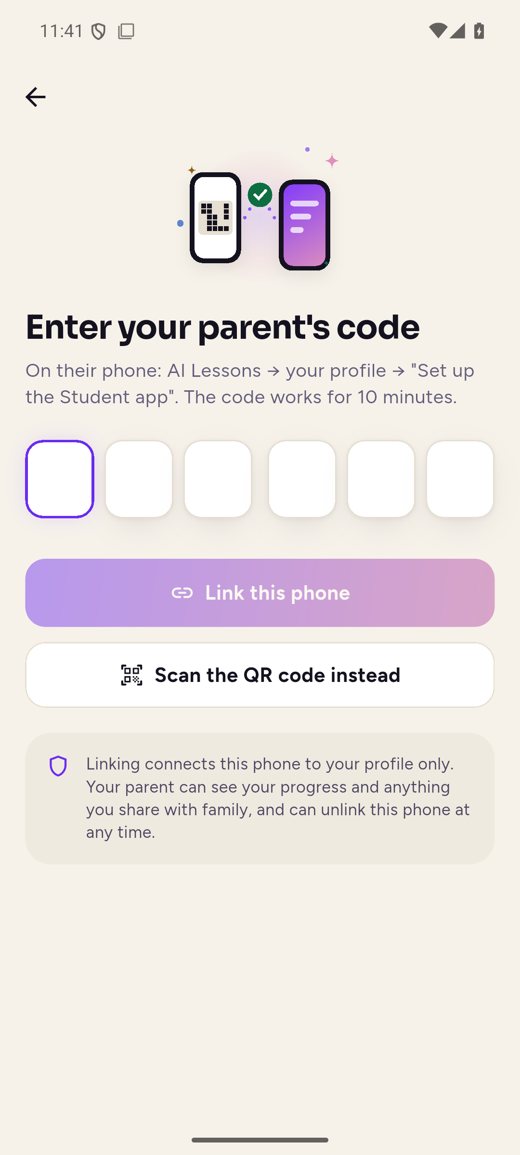
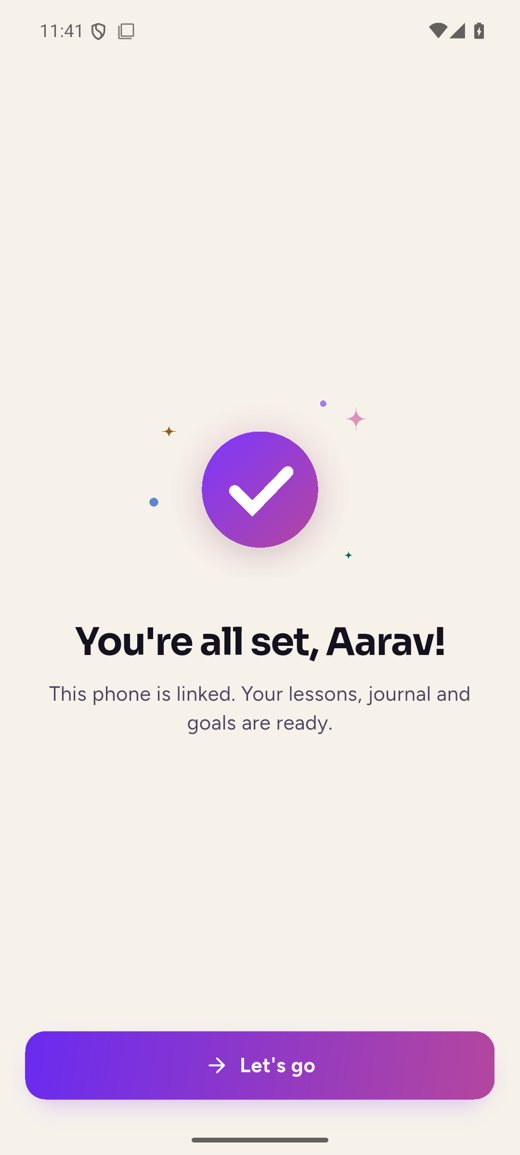
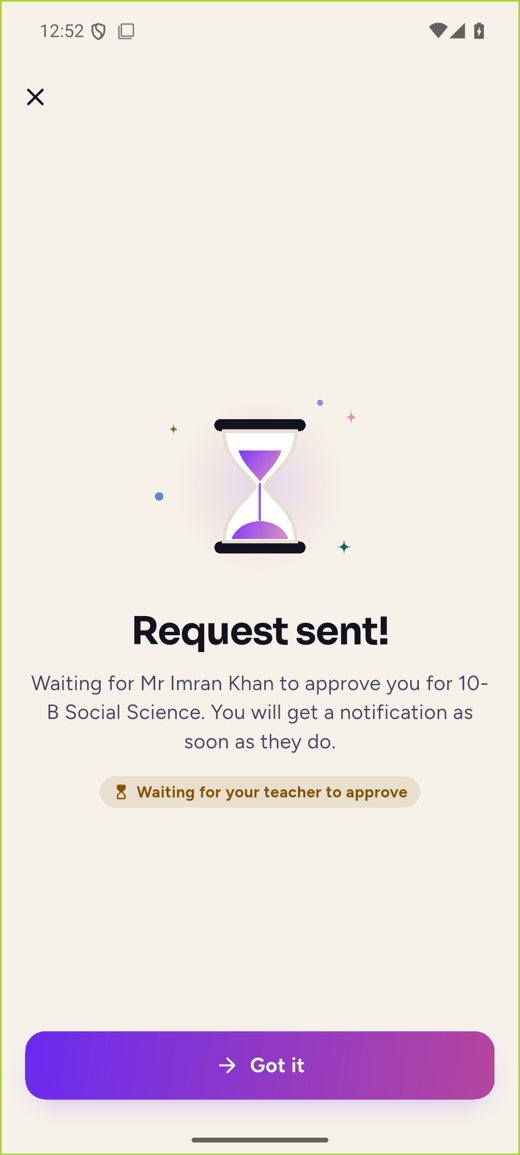
A child never needs their own account. A parent links the child’s phone from the AI Lessons family app with a six-digit code or QR. Learners aged 18 or over sign in with Google or their phone number.
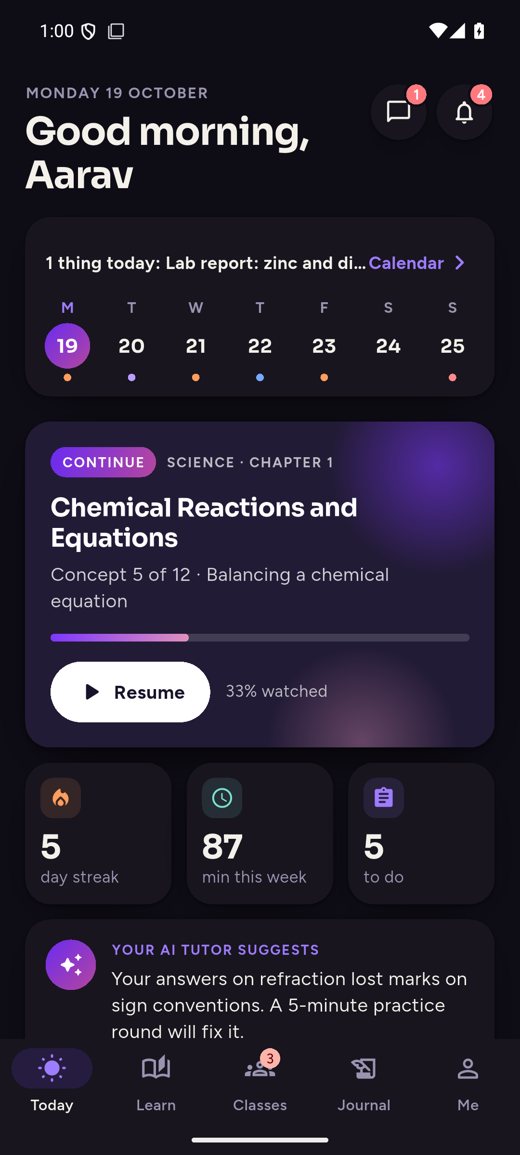
02 · Today
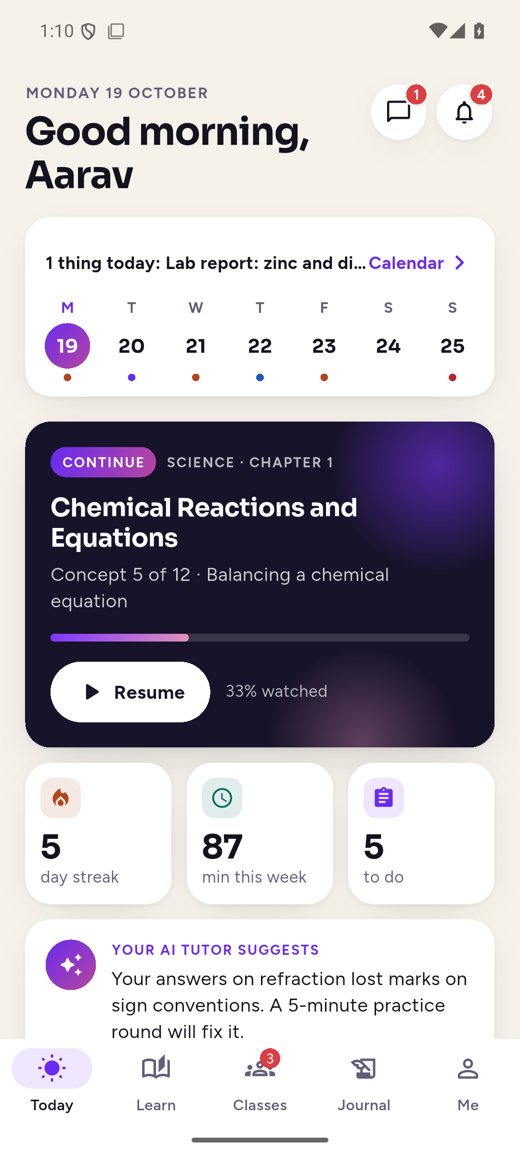
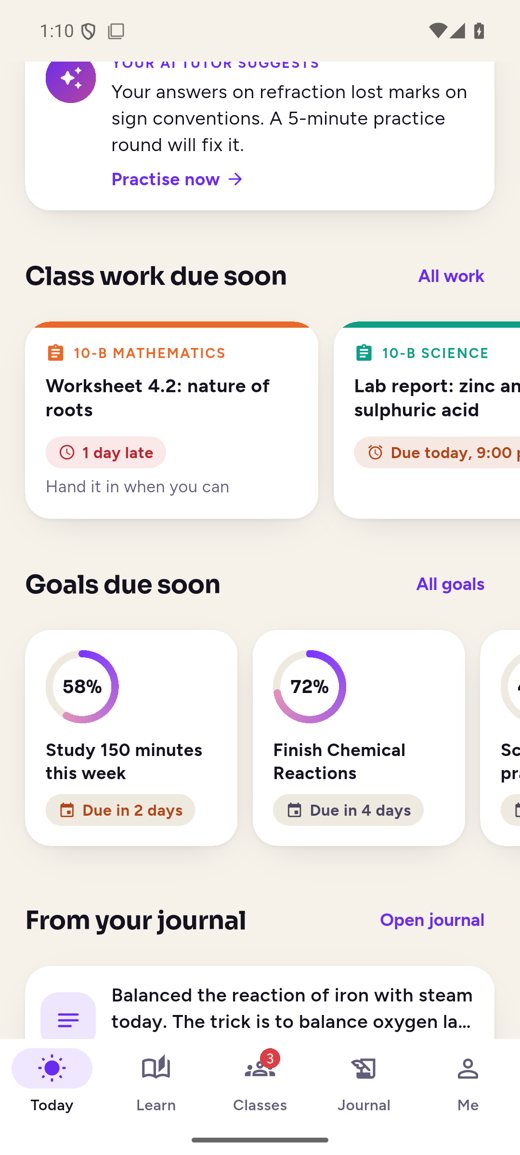
A calm daily home: the week at a glance, the lesson to pick up, and what’s due across every class.
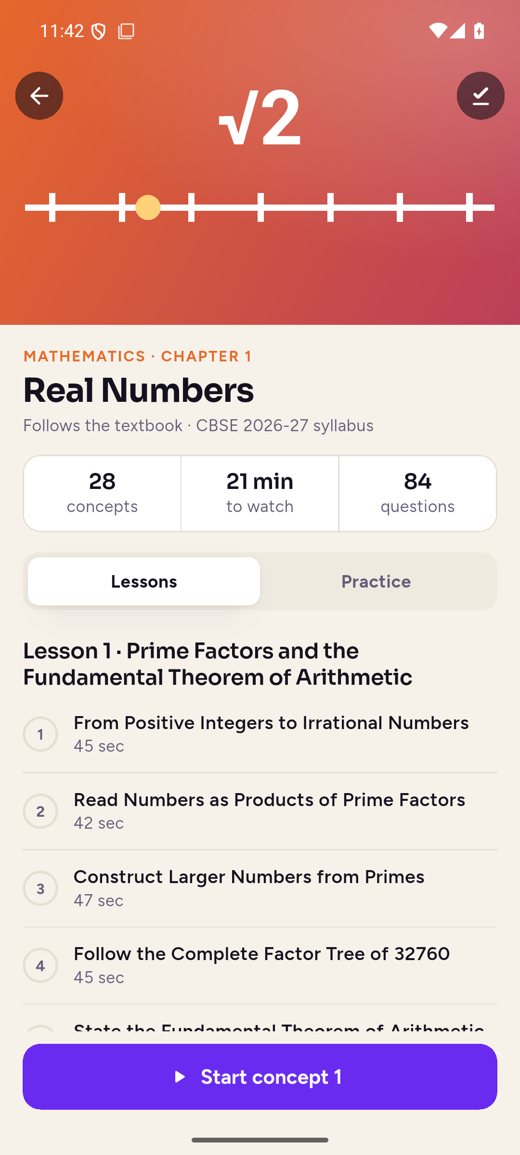
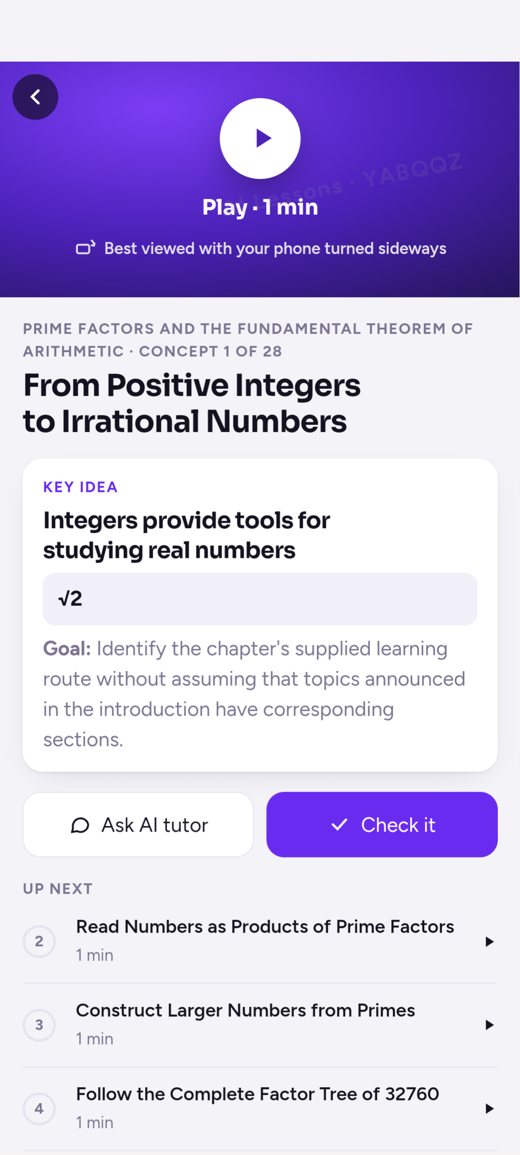
03 · Learn
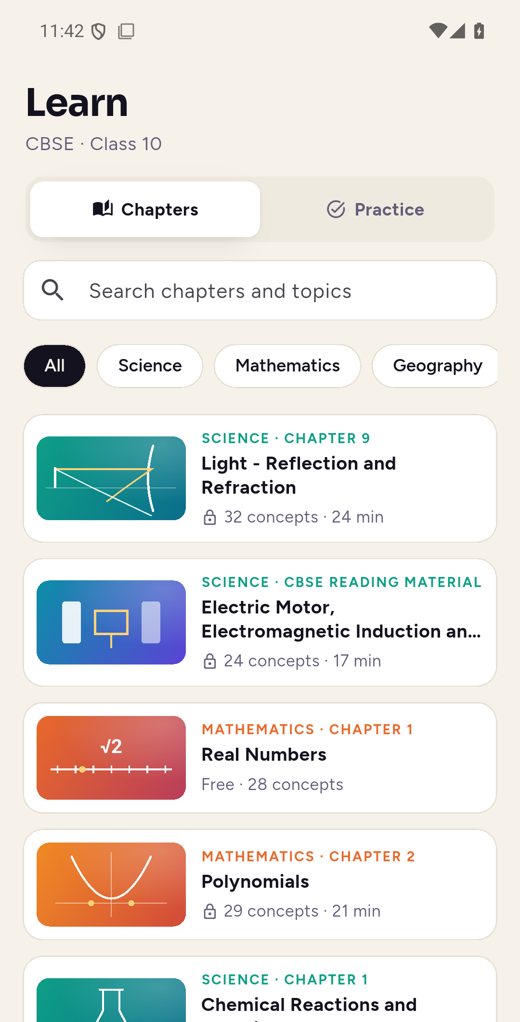
Every chapter becomes short narrated scenes, drawn as the narrator speaks. Grounded only in the textbook and approved by a human reviewer.
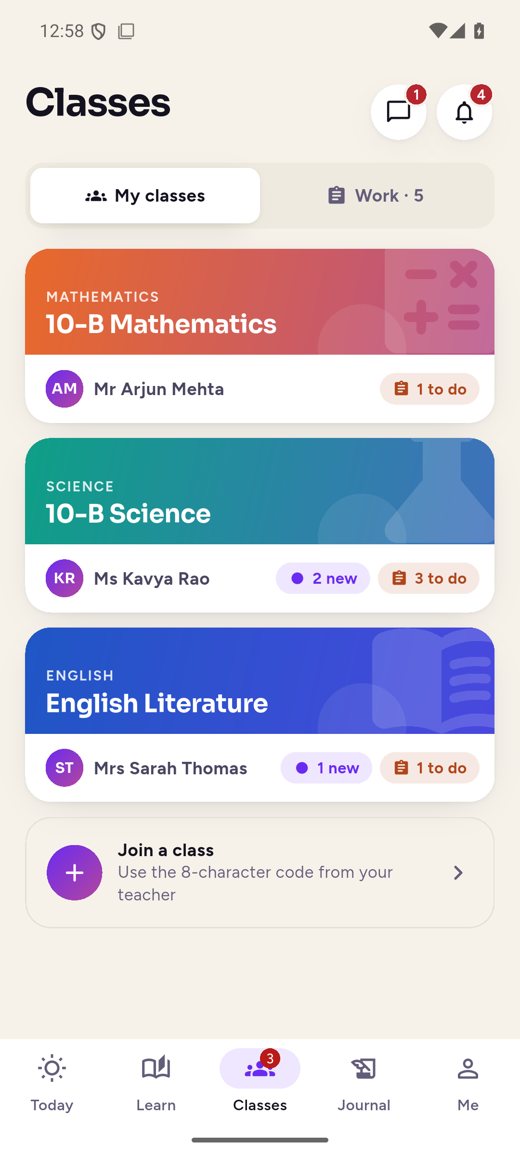
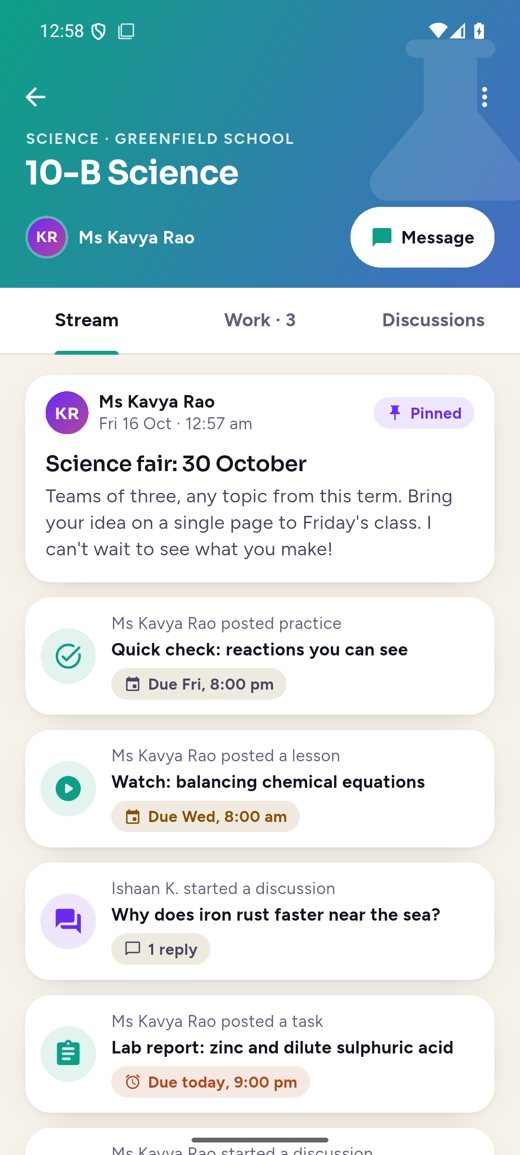
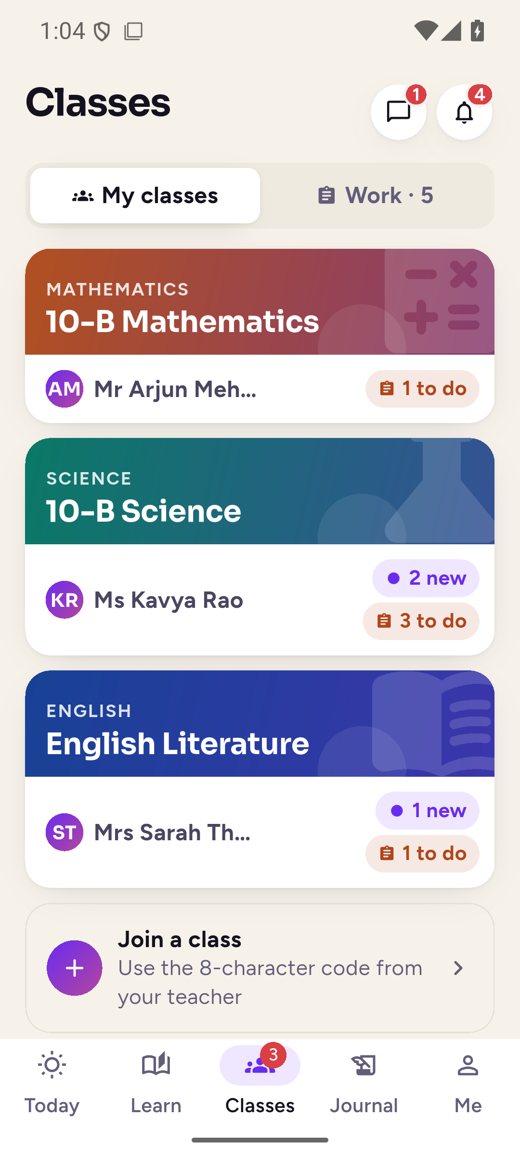
04 · Classes and work
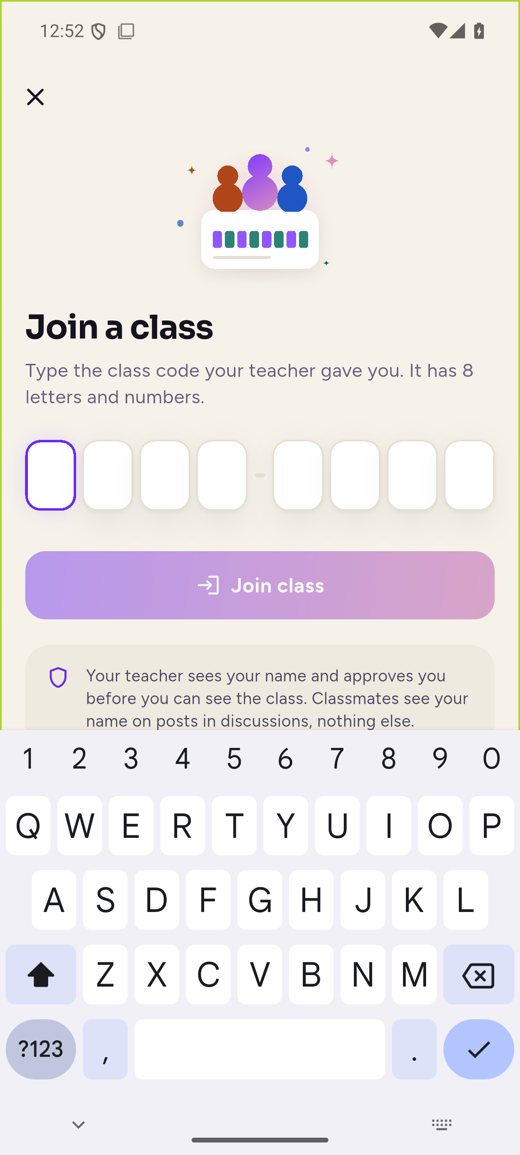
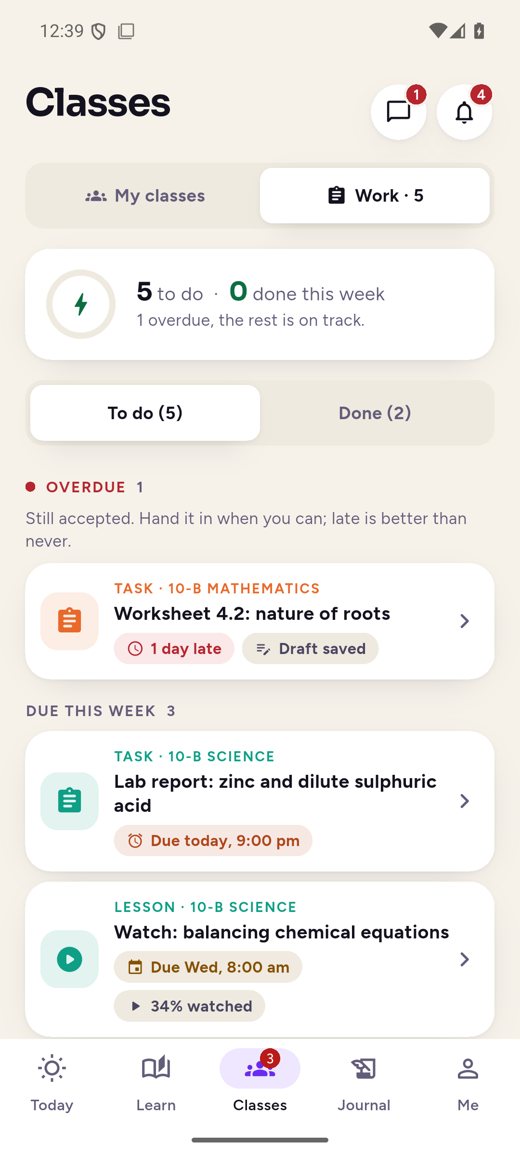
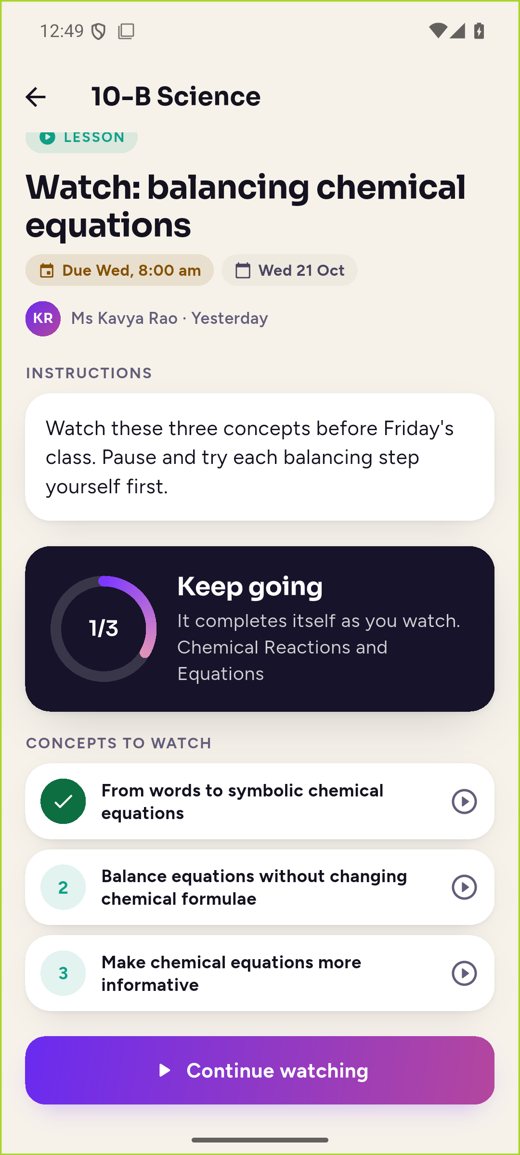
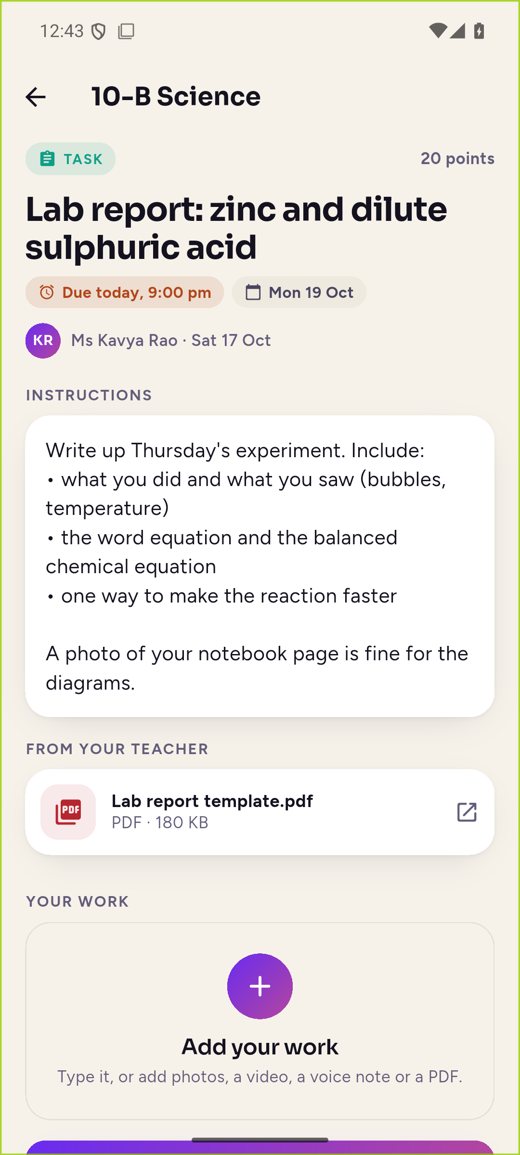
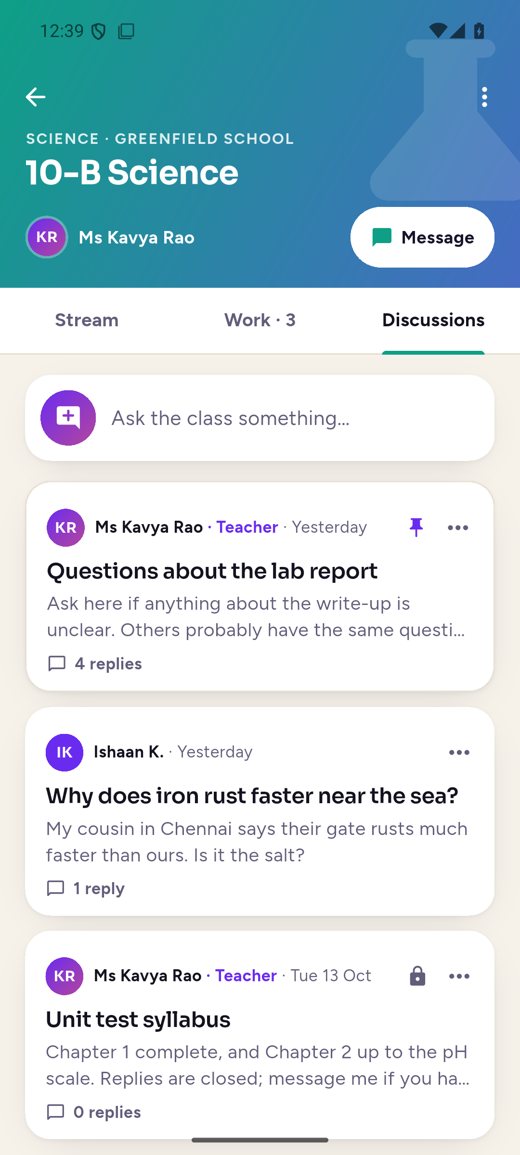
Each class has its own stream of announcements, work and discussions. Teachers set three kinds of work, and two of them use our own lessons and practice.
05 · Hand in and feedback
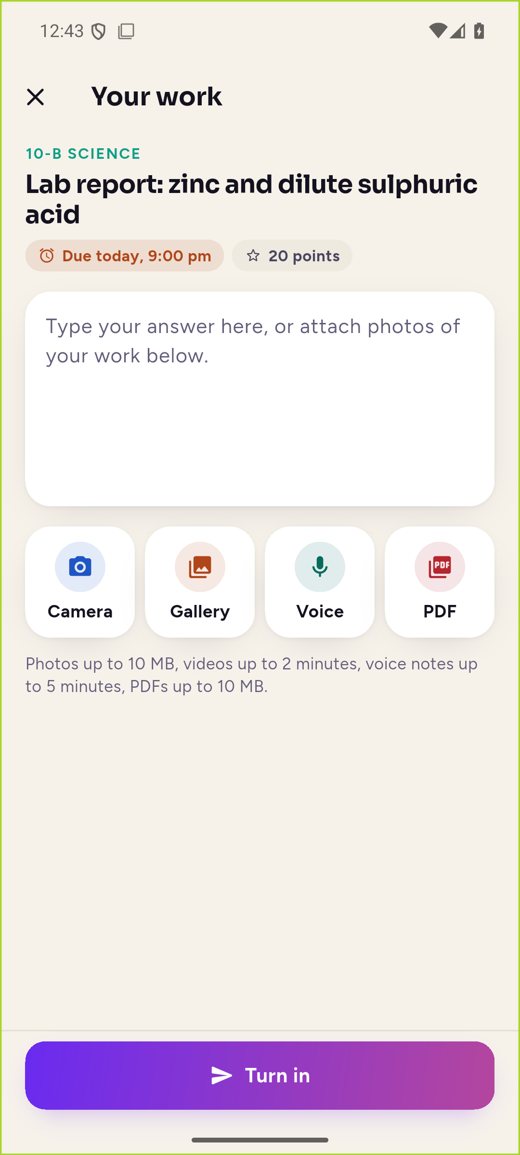
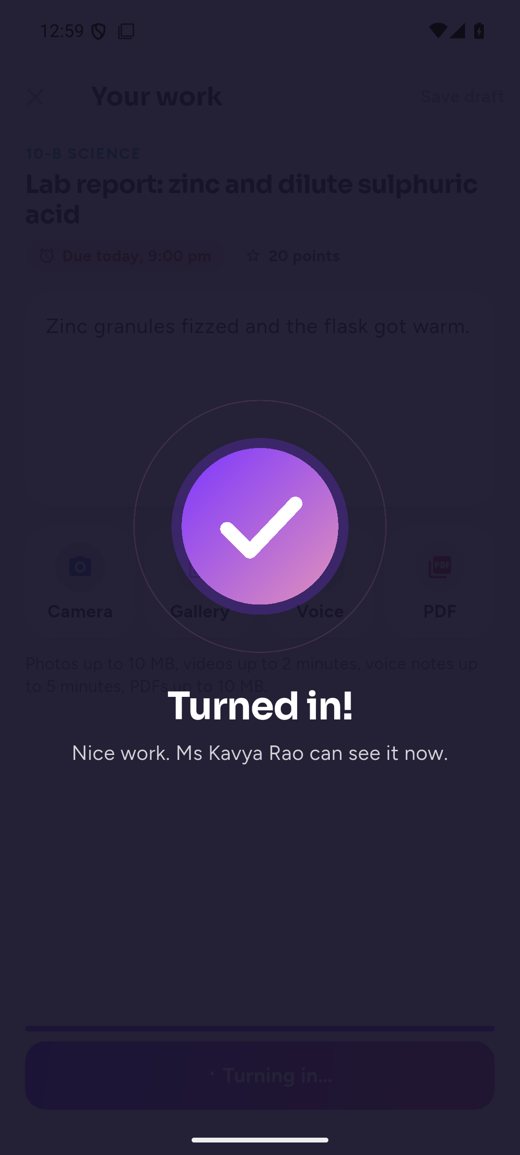
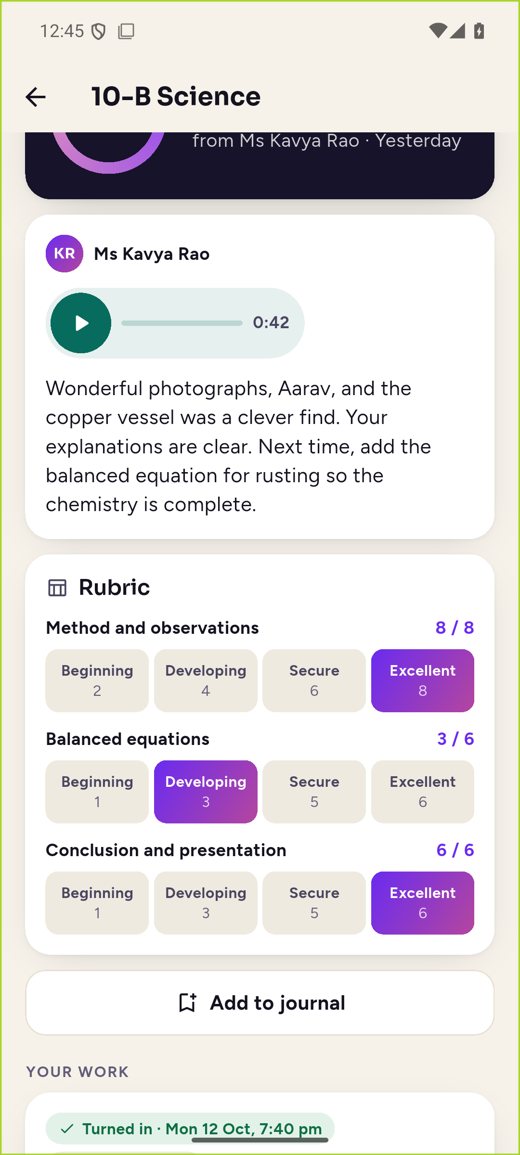
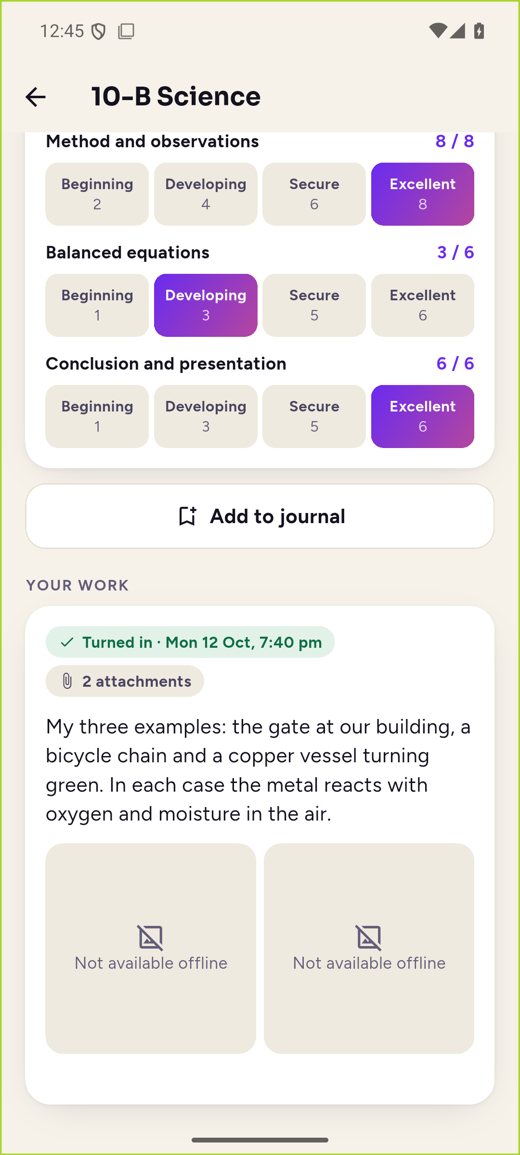
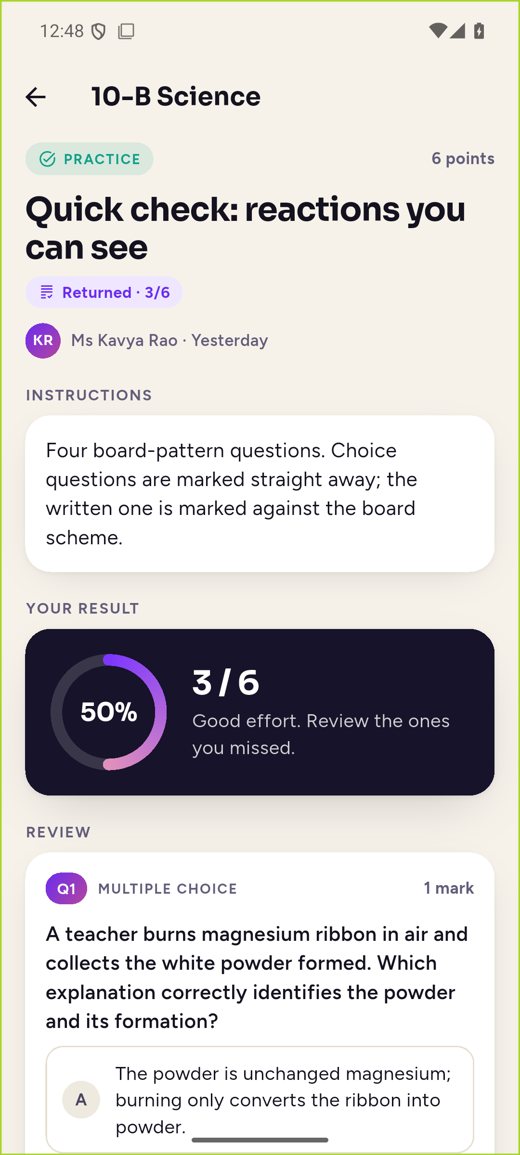
Handing in takes seconds. Returned work shows the score, the rubric level for each criterion, written feedback and the teacher’s voice note.
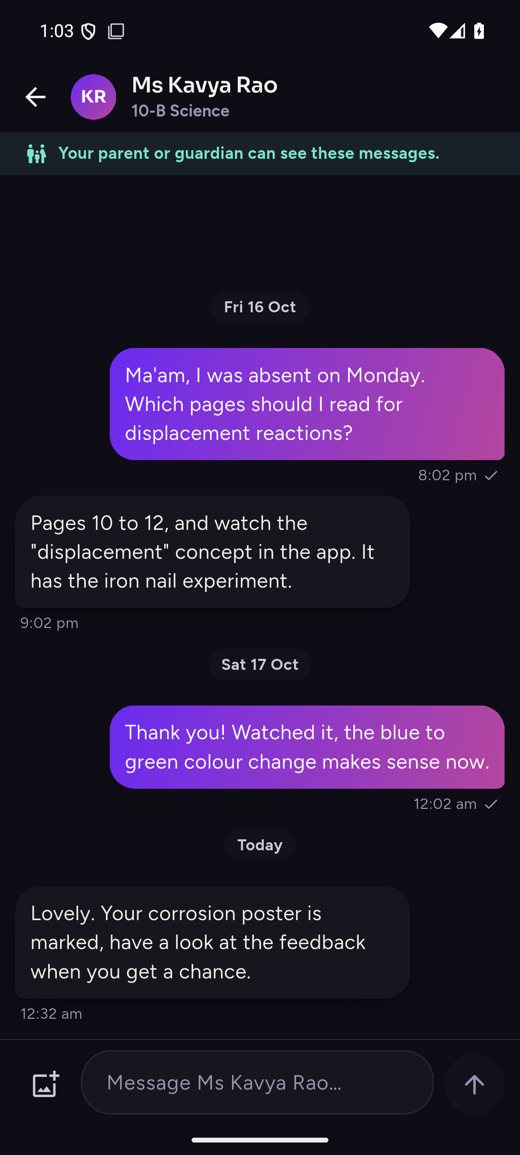
06 · Discussions and teacher chat
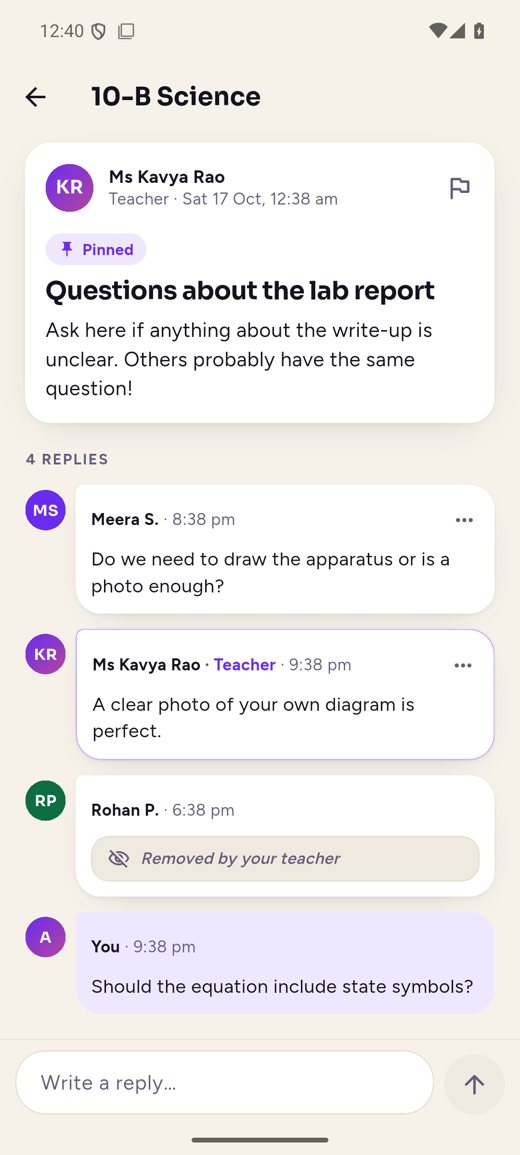
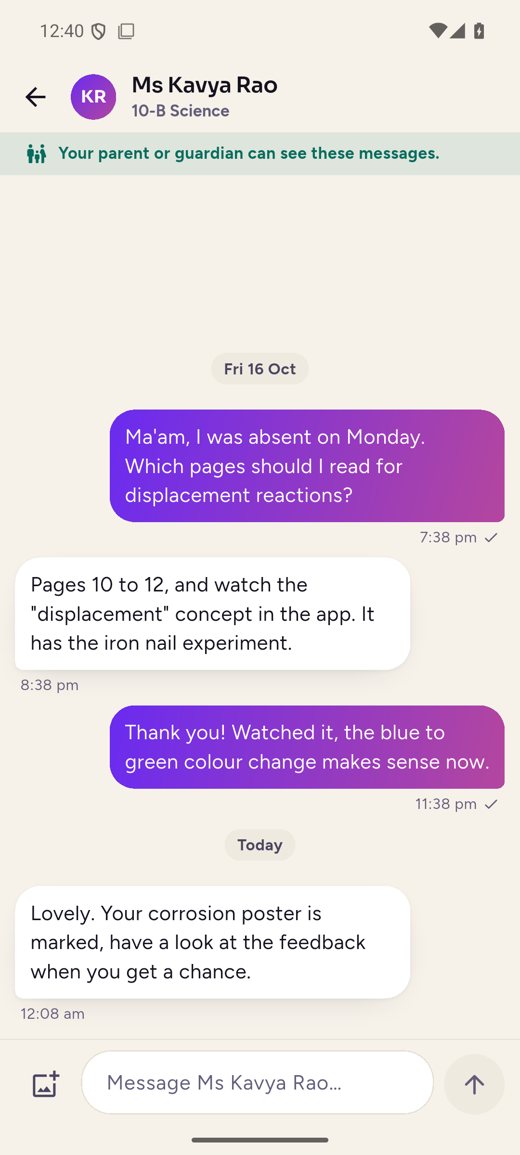
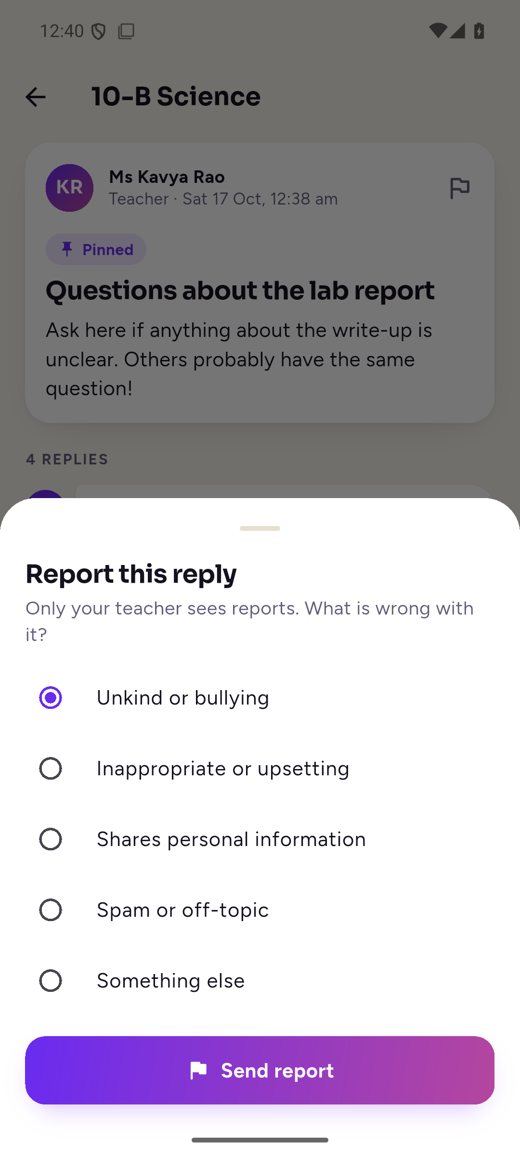
Discussions are moderated by the teacher and every post can be reported. Students message only their own teachers; there is no private chat between students.
07 · Calendar and notifications
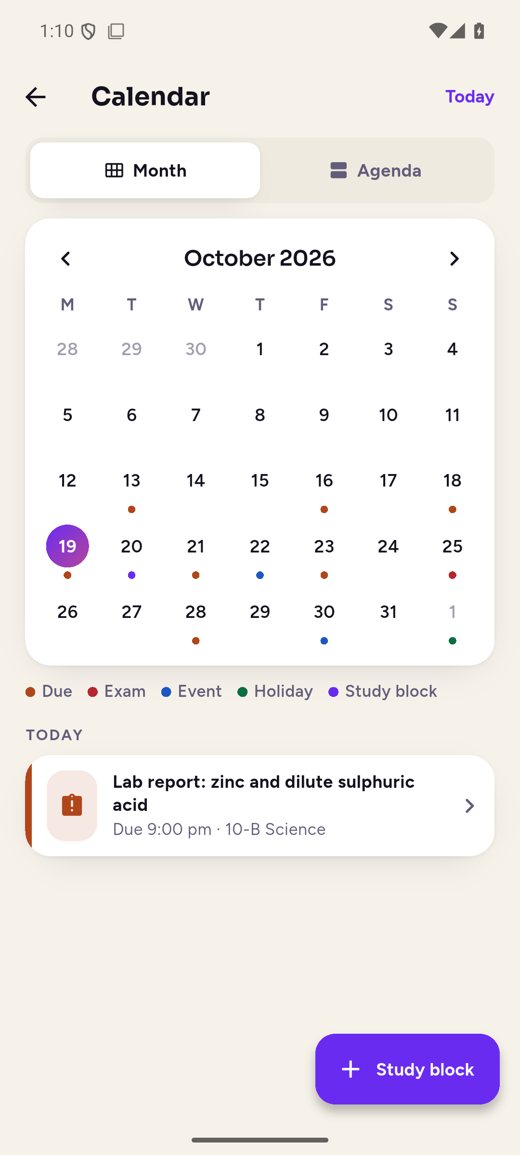
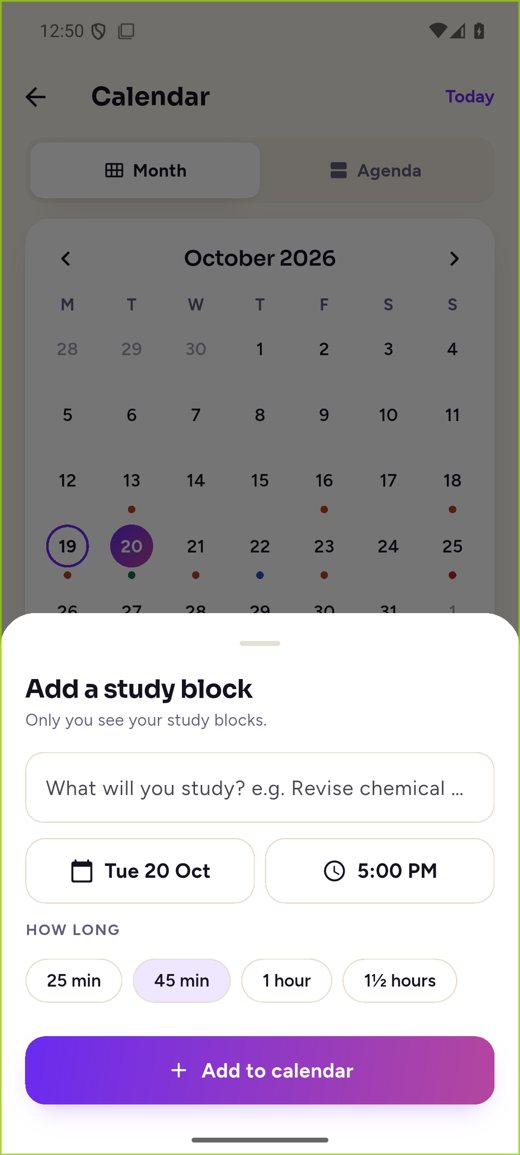
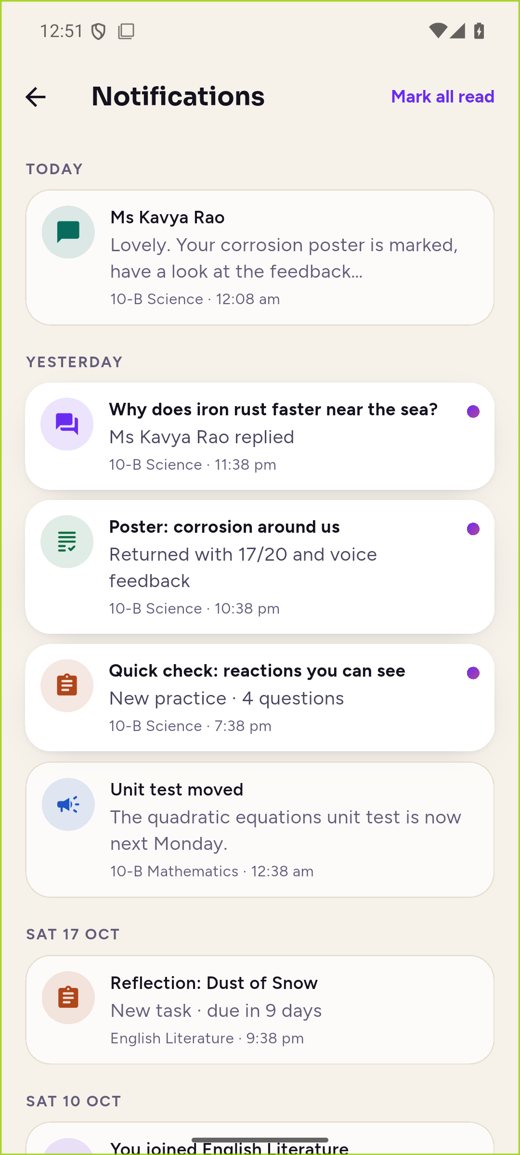
One calendar for due dates, exams, school events, holidays and the student’s own study blocks. Every notification opens exactly the right screen.
08 · Journal and goals
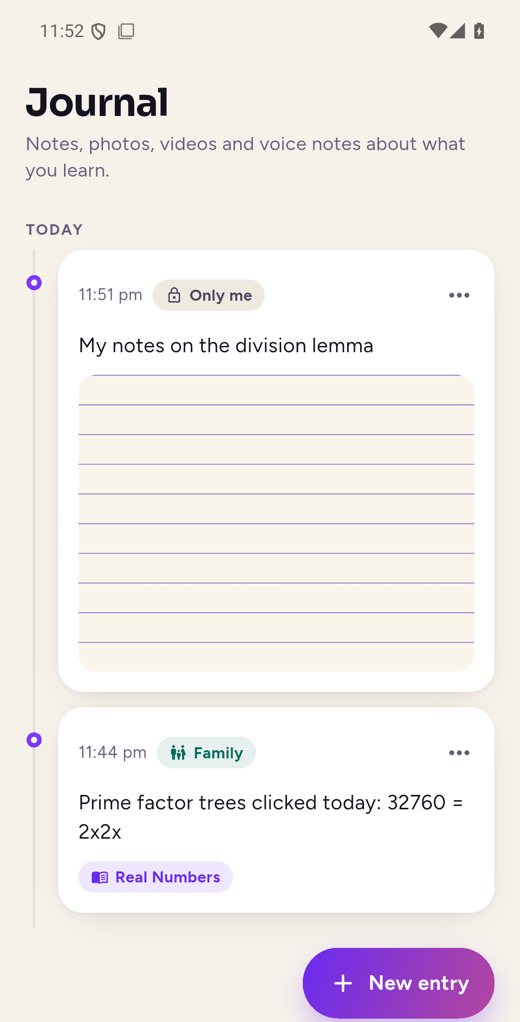
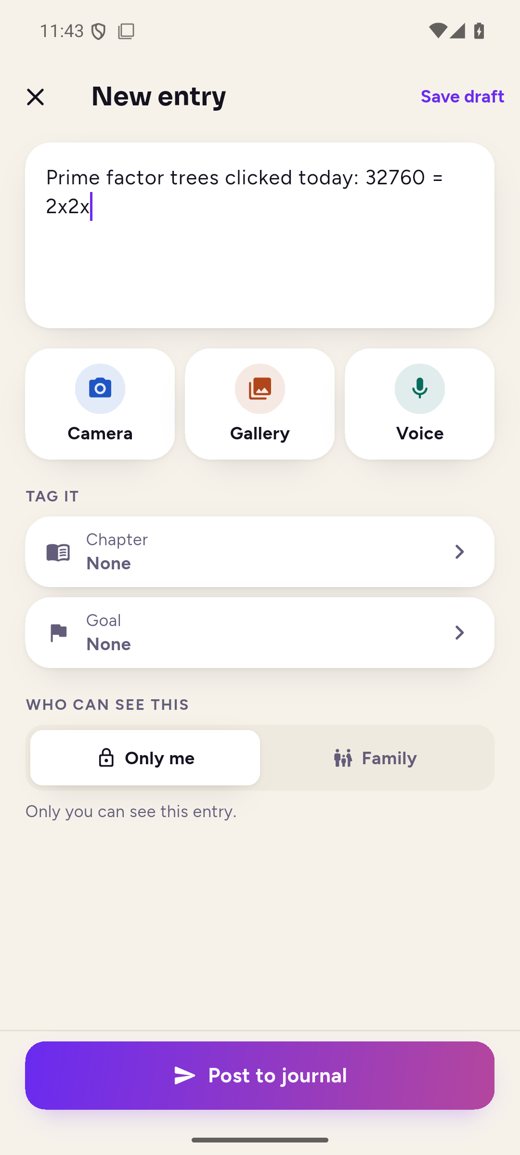
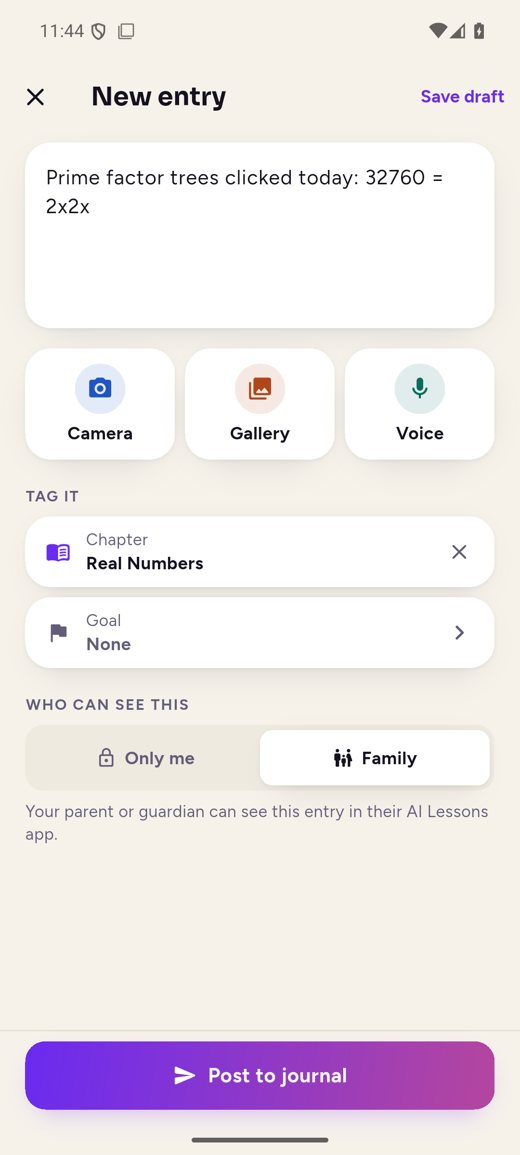
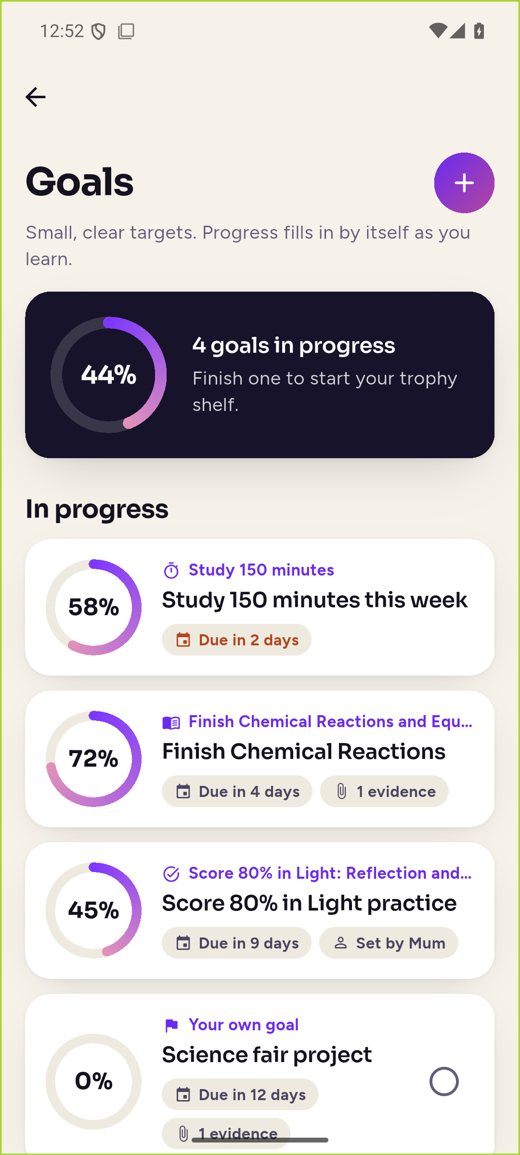
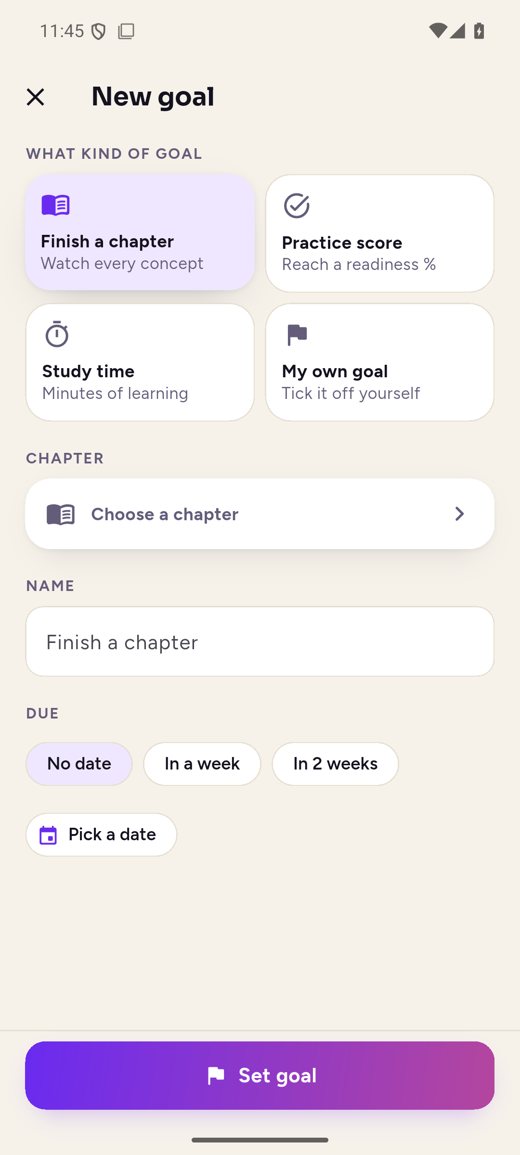
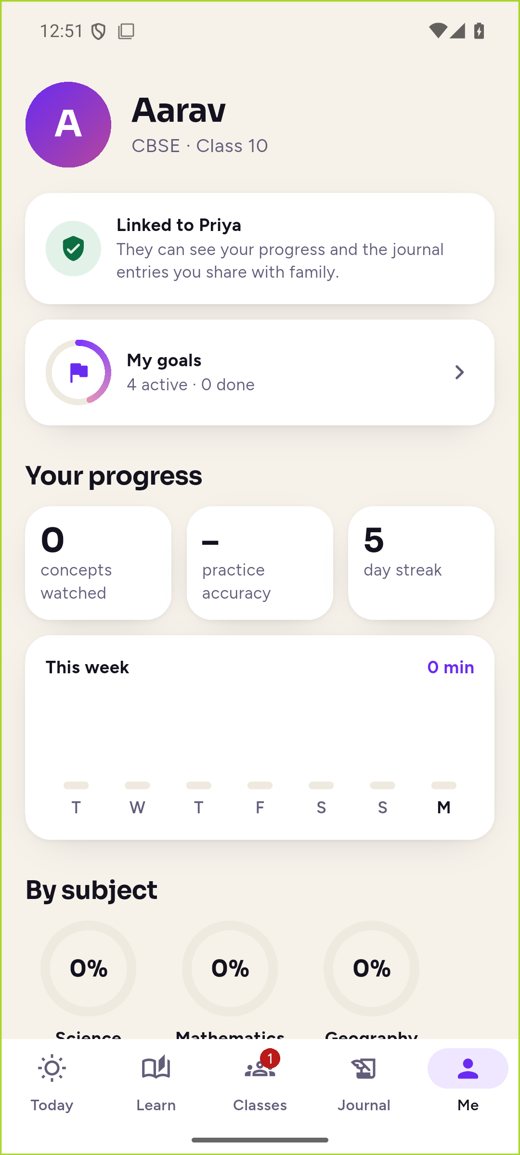
A learning portfolio of notes, photos, videos and voice notes, private unless shared with family. Goals fill in by themselves from lessons, practice and study time.
09 · Progress and comfort
Progress by subject and chapter and the week’s study minutes. Dark mode, larger text, big tap targets and clear contrast throughout.
Every chapter, every subject
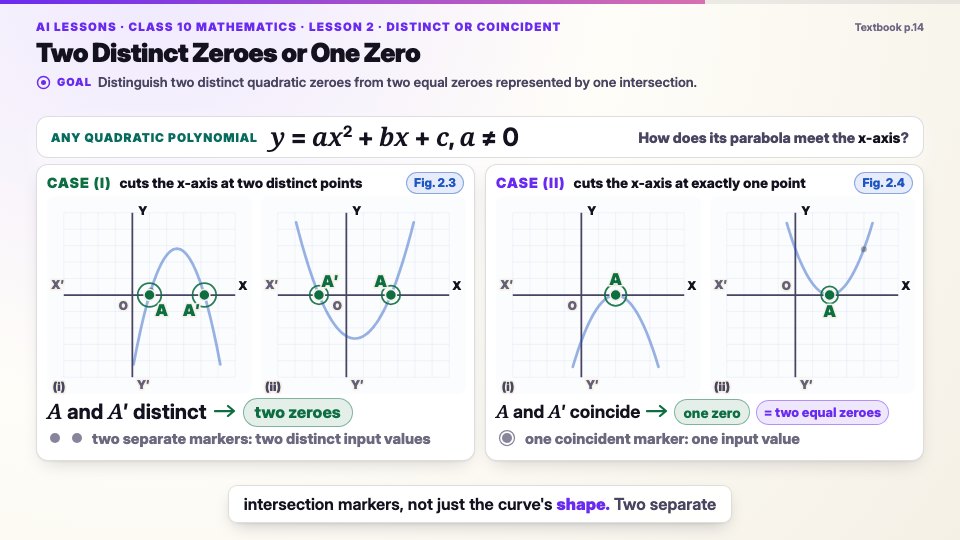
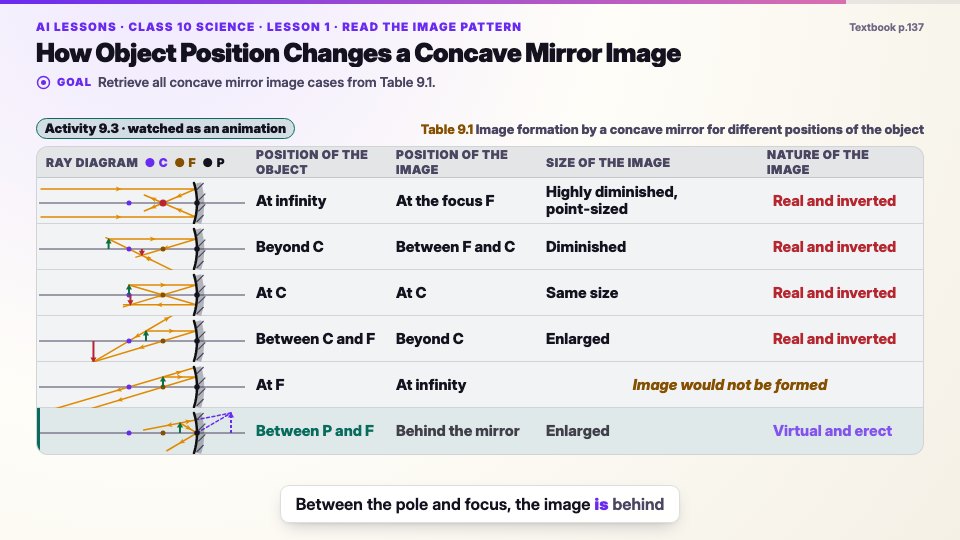
Every scene is drawn on warm paper as the narrator speaks it, in every subject.
Why you can trust it
A lesson is only released once it has passed every check and a human reviewer has signed it off.
Every fact shown or said comes from the chapter itself. Nothing is added from elsewhere.
Each word is timed to the visuals, so a label appears exactly when it is spoken.
Lessons follow the board syllabus, and practice follows its exam pattern and marking.
Every subject, one way to learn · more on the way
For parents
You hold the account. Each child studies in their own profile, and you see how they are doing at a glance.
Family dashboard
2 profilesSafety and school controls
What school leaders and parents ask about most, answered in the product itself.
A parent links the child’s phone, or the school adds them to a roster. No email or phone number needed.
A class code alone is not enough.
No private chat between students; parents can read teacher chats.
Pin, lock or remove posts; report anything; contact details blocked.
Journal photos, videos and voice notes are private unless shared, kept in private storage, and never used to train AI.
Removing a profile deletes the journal, media, goals, submissions and messages.
Written only from the textbook, checked automatically for accuracy and readability, and approved by a human reviewer before release.
Encrypted, watermarked, no screen recording.
Coming next
Students, families and teachers share the same classes, work and progress.
Everything on this page.
The child’s learning feed, progress and reports, announcements, calendar, school policies and teacher chat.
Classes and rosters, setting work, rubric and voice feedback, AI first-pass marking, attendance and insights.
Today: classroom features work with the AI Lessons Teacher app, which is in development. Lessons, the AI tutor, practice, the journal and goals work for every student now. Android first; iPhone to follow.
Pricing
Price announced at launch. Early-access members hear first.
Free to try
See how a lesson feels, with no card needed.
Price announced at launch
Everything you need from first lesson to final exam.
Android first, then iPhone and the web, with one account on every device.
FAQ
AI Lessons turns textbook chapters into narrated, animated lessons, with an AI tutor you can ask at any moment and exam-style practice marked step by step.
Lessons, the AI tutor, board-pattern practice, offline downloads, a learning journal and goals work for every student. Classes, work, feedback, discussions and teacher chat work with the AI Lessons Teacher app, which is in development.
No. A child never needs their own account, email or phone number. A parent links the child’s phone with a six-digit code or QR, and learners aged 18 or over sign in with Google or their phone number.
No. Students message only their own teachers, discussions are moderated by the teacher, every post can be reported, and parents can read teacher chats.
The first lessons are for Class 10. More subjects, classes and curricula are on the way.
Yes, the first chapter of every subject is free to try. AI Lessons Plus unlocks every chapter, the AI tutor, exam practice and offline downloads; its price will be announced at launch.
Every lesson is grounded only in the textbook, passes automated quality and readability checks, and is approved by a human reviewer before it is released.
No. There are no ads and no third-party analytics or tracking, and you can delete your data at any time.
The Android app comes first, followed by iPhone and the web, all with one account. Join early access to hear first when it opens.
Want to see what a chapter covers before you sign up?
Browse the chapter guidesEarly access
The Android app opens first. Leave your email and we will tell you the moment it does, with launch pricing before anyone else.
Screens are from a pre-release Android build of the Student app (October 2026). Student, teacher and school names shown are sample data. Lessons follow the official textbook and syllabus for each board and class; the first published chapters are for Class 10.